
Managing timecode across devices involves setting a common reference point, usually using a master clock or sync generator. You’ll choose the right protocols like LTC, VITC, or embedded timecode based on your equipment’s capabilities. By verifying device compatibility and using hardware solutions, you maintain everything synchronized. Proper workflow planning and software tools help you correct minor mismatches and ensure smooth operations. Keep going to discover detailed strategies to keep your projects perfectly aligned.
Listen free for 30 days with Audible
Thousands of audiobooks and originals — cancel anytime.
As an affiliate, we earn on qualifying purchases.
Key Takeaways
- Use a master clock or timecode generator as a single source for all devices.
- Select appropriate syncing protocols (LTC, VITC, embedded) based on equipment compatibility.
- Verify device support for chosen protocols before recording to prevent synchronization issues.
- Employ hardware sync boxes to distribute timecode signals consistently across multiple devices.
- Utilize editing software to import, interpret, and align different timecode streams for seamless workflow.
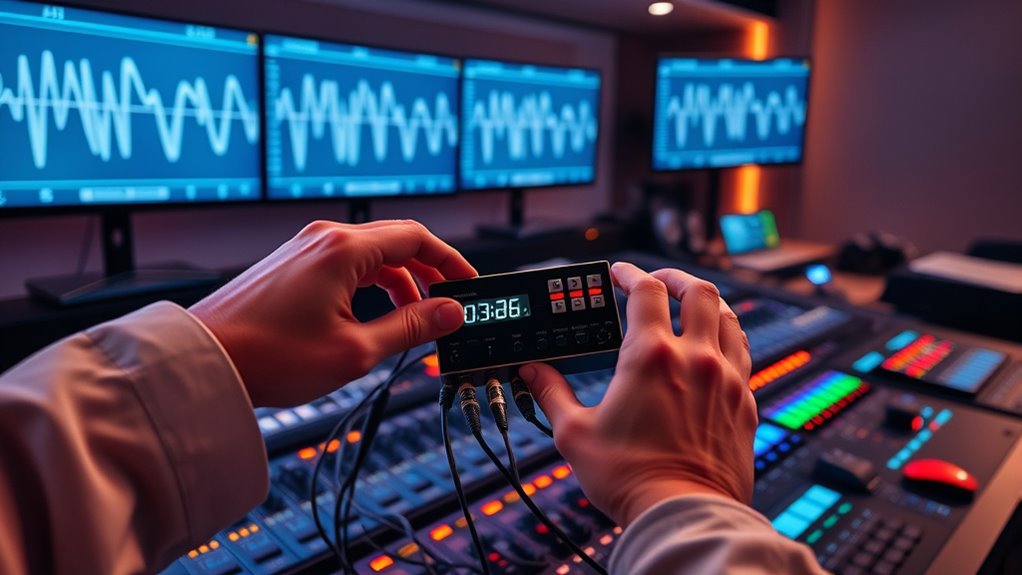
Managing timecode across multiple devices is essential to guarantee synchronization in production and post-production workflows. When you’re working with footage from different sources—cameras, audio recorders, or editing stations—keeping everything aligned is crucial to avoid costly errors and delays. To achieve this, you need to understand and implement effective syncing protocols. These protocols serve as the backbone for consistent timecode management, ensuring that all devices speak the same language and stay in sync throughout the project. Whether you’re using LTC (Longitudinal Time Code), VITC (Vertical Interval Time Code), or embedded timecode in files, selecting the right protocol depends on your equipment and workflow needs.
Effective timecode management ensures synchronization across devices, preventing errors and delays in production workflows.
Device compatibility plays a significant role in how you manage timecode. Not all devices support every syncing protocol, so verifying compatibility before the shoot or post-production process is vital. For example, some cameras may only accept LTC signals, while others might support embedded timecode directly within file metadata. Knowing this helps you avoid mismatches that could cause synchronization issues later. To streamline the process, many professionals use hardware timecode generators or sync boxes that can output multiple timecode formats simultaneously, making it easier to connect different devices seamlessly. These tools help you maintain compatibility across your entire setup, reducing the risk of drift or mismatch during recording or editing.
Another key aspect is establishing a master clock or timecode source at the start of your workflow. This master device acts as the reference point for all other equipment, ensuring every device receives the same time reference. When you set a single, authoritative timecode source—whether from a dedicated generator or a computer running synchronization software—your entire team benefits from precise alignment. This approach simplifies troubleshooting and makes editing smoother, as you’re always working with consistent time references. Additionally, understanding the effectiveness of eye patches can help in planning and executing a smooth workflow, just as choosing the right synchronization method is crucial for a seamless production process.
In addition to hardware, software solutions also play a critical role in managing timecode synchronization. Many editing and post-production tools offer features for importing, interpreting, and aligning multiple timecode streams. By leveraging these capabilities, you can correct minor discrepancies or re-sync footage if needed, maintaining your project’s integrity. Remember, the key is to plan ahead, verify device compatibility, and use appropriate syncing protocols so your entire production chain stays synchronized from start to finish. With these practices in place, managing timecode across multiple devices becomes a straightforward process that keeps your project on schedule and ensures a seamless workflow.
As an affiliate, we earn on qualifying purchases.
Frequently Asked Questions
How Do Different Device Timecodes Synchronize Accurately?
You guarantee accurate synchronization of different device timecodes by using compatible devices and reliable synchronization protocols. Start by confirming device compatibility, so they can communicate seamlessly. Then, employ protocols like SMPTE or LTC that facilitate precise timecode sync. Regularly calibrate your equipment, and use synchronization software or hardware tools to maintain accuracy. This approach guarantees your devices stay in sync, preventing timing issues during your project.
What Are Common Issues Faced in Multi-Device Timecode Management?
Think of managing multiple devices like keeping a band in sync; sometimes, timecode discrepancies throw off the rhythm. You often face issues like device clock drift, causing timers to fall out of sync, or misaligned timecodes that disrupt your workflow. These problems challenge your ability to maintain perfect timing across all devices, making it essential to regularly calibrate and monitor to guarantee everything stays harmonized and on beat.
Which Tools Are Best for Cross-Device Timecode Synchronization?
You should consider cloud-based solutions like Avolites or Synapse, which offer seamless cross-device timecode synchronization. Hardware interfaces such as the AJA KUMO or Blackmagic Design routers can also help you maintain accurate timecode across multiple devices. These tools guarantee reliable synchronization, reduce latency, and simplify management, so your entire setup stays in perfect sync regardless of location or device type.
How Does Network Latency Affect Timecode Synchronization?
Network delay can cause timing issues by increasing data buffering, which affects timecode synchronization across devices. When there’s high latency, your devices may receive timecode signals late or inconsistently, leading to misalignment. To mitigate this, you should optimize your network, reduce congestion, and implement buffering strategies that compensate for delay. This guarantees smoother synchronization, keeping your devices aligned despite fluctuations in network performance.
Can Timecode Management Be Automated Across Multiple Devices?
Yes, you can automate timecode management across multiple devices. By setting up automated workflows, you eliminate the need for manual adjustments, ensuring synchronization stays accurate even as conditions change. This approach reduces human error, saves time, and maintains consistency across your setup. With the right tools, you can streamline the entire process, making sure all devices stay perfectly in sync without constant manual intervention.
Conclusion
By mastering how you manage timecode across devices, you’re weaving a seamless tapestry of synchronization. Think of it as orchestrating a symphony where every instrument, every second, aligns perfectly—no discord, no missed beats. When you keep your devices in harmony, your workflow flows effortlessly, like a river unbroken and true. Embrace this precision, and watch your projects come alive with clarity—timing becomes your brush, painting perfection with every pulse.
College move-in / dorm season Picks
dorm essentials
As an affiliate, we earn on qualifying purchases.