To sync audio and video for review, first import both into your editing software. Use visual cues like lip movements, gestures, or on-screen actions to align with corresponding sounds. Make small adjustments by nudging the audio forward or backward, and use waveform displays to guarantee peaks match visual cues. Play back repeatedly to check for proper sync, correcting as needed for a polished look. Continuing will reveal more tips to perfect your sync skills.
Key Takeaways
- Import both audio and video clips into editing software and identify visual cues like claps or spoken words for initial alignment.
- Use waveform displays to visually match peaks with corresponding visual actions or lip movements.
- Play clips repeatedly, nudging audio slightly forward or backward for precise synchronization.
- Utilize frame-by-frame adjustments for detailed fine-tuning of audio-video alignment.
- Verify sync continuously during review, making small adjustments for seamless, professional results.
When reviewing video projects, syncing audio and video accurately is essential for a professional result. Achieving perfect alignment ensures your audience stays engaged and your content looks polished. To do this effectively, you need to focus on proper audio calibration and understanding video timing. Audio calibration involves adjusting your audio levels so they match the visual cues and don’t overpower or underwhelm the video content. Proper calibration helps you identify any discrepancies early, making it easier to fine-tune the sync later on. Video timing, on the other hand, refers to the precise synchronization of the audio track with the visual elements, like lip movements or on-screen actions. When these are out of sync, it can distract viewers and diminish the quality of your project.
Accurate audio-video sync ensures a polished, professional, and engaging viewer experience.
Begin by importing both your audio and video clips into your editing software. Most modern editors have built-in tools for syncing, but understanding the fundamentals will give you better control. Start with a visual cue—such as a clap, a spoken word, or a specific action—and match it with the corresponding sound. This serves as your initial anchor point. Once aligned, pay attention to the audio calibration. Check if the audio volume levels are consistent and clear; adjust the gain or volume settings as needed. Clear, well-calibrated audio ensures you can accurately judge whether the timing is correct. Additionally, understanding the video editing software features can streamline this process and improve your accuracy.
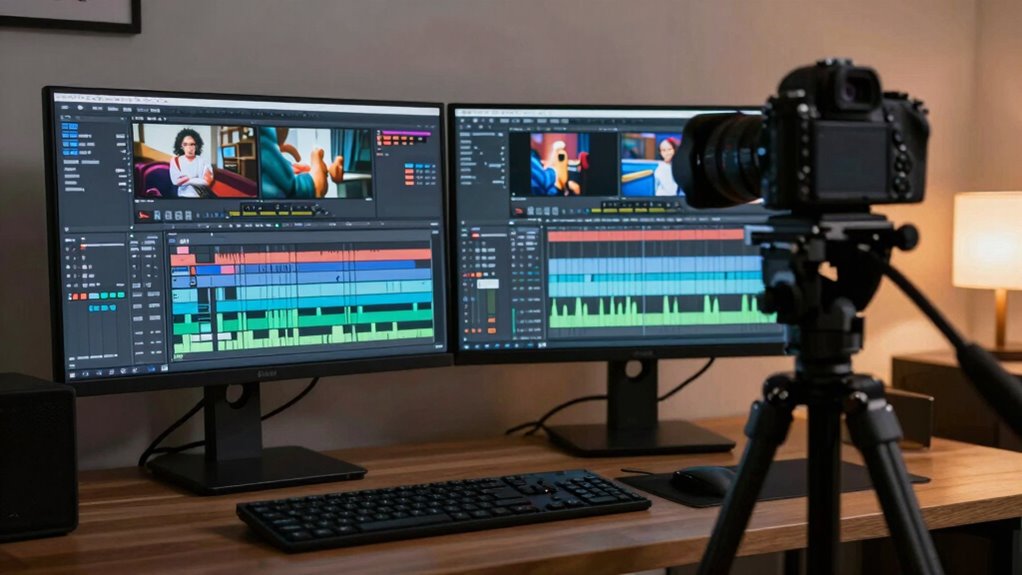
Next, focus on the finer details of video timing. Play back the clips repeatedly, watching the movement of lips, hands, or other key visuals while listening for any lag or mismatch. If the audio appears slightly ahead or behind, use your editing tools to nudge the audio track forward or backward in small increments. Many programs allow you to move audio in frame-by-frame adjustments, giving you precise control. Keep an eye on the waveform display, which visually represents the audio signals. Align peaks in the waveform with corresponding visual cues to fine-tune the sync. Moreover, understanding audio waveform displays can significantly improve your ability to spot discrepancies quickly. Practicing this process regularly can help develop your syncing skills over time. Remember, consistent practice and attention to detail are key to mastering this process.
Additionally, utilizing visual cues such as lip-sync or specific gestures can help confirm the sync’s accuracy during playback. Throughout this process, consistently check both audio calibration and video timing. Small adjustments can make a significant difference, especially in dialogue-heavy scenes or music videos where timing is critical. Remember, patience is key. It’s better to spend extra time ensuring perfect sync than to rush and end up with a distracting mismatch. When you finally achieve seamless audio and video alignment, your project will look more professional, engaging, and ready for review or distribution. Properly synced content reflects your attention to detail and enhances the viewer’s experience from start to finish.
As an affiliate, we earn on qualifying purchases.
Frequently Asked Questions
What Are the Best Software Options for Audio-Video Syncing?
You should consider software like Adobe Premiere Pro, Final Cut Pro, or DaVinci Resolve for audio-video syncing. These tools help you match audio quality and guarantee precise editing techniques, making your workflow smoother. They automatically sync clips based on audio waveforms or allow manual adjustments. Whether you’re a professional or a beginner, these options give you the control needed to produce high-quality, well-synced videos efficiently.
How Do I Sync Audio and Video Recorded on Different Devices?
To sync audio and video recorded on different devices, start by aligning the audio calibration with the video’s visual cues, like a clap or a specific motion. Use editing software that supports timeline synchronization, applying video stabilization if needed to correct shaky footage. Adjust the audio track to match the visual events precisely. This process guarantees your audio and video stay in sync, creating a seamless viewing experience.
Can I Automate the Syncing Process?
Yes, you can automate the syncing process using specialized software that offers automated syncing features. These tools analyze audio waveforms and align video and audio tracks, saving you manual adjustments. While automation is efficient, you might still need to make manual adjustments for perfect sync, especially if the audio or video has noise or irregularities. Overall, automated syncing speeds up your workflow, but a quick review guarantees accuracy.
How Do I Fix Audio Lag Issues?
To fix audio lag issues, start by checking for audio delay in your editing software and adjust the timing accordingly. Focus on fixing lip sync problems by aligning the audio track with the video, often by nudging the audio slightly forward or backward. Use waveform guides to match speech sounds with lip movements precisely. If needed, re-export the video with corrected sync to guarantee smooth playback and accurate lip sync.
What Is the Ideal Frame Rate for Syncing?
The ideal frame rate for syncing audio and video typically matches your footage’s original recording rate, often 24, 30, or 60 fps. To achieve perfect audio synchronization, you should guarantee your frame rate adjustment aligns with the source material. By matching the frame rate precisely, you minimize syncing issues and create seamless audio synchronization, making your review process smoother and more accurate. Always verify your project settings before editing.
Conclusion
Now that you know how to sync audio and video effectively, you’re well on your way to creating seamless reviews. Remember, patience is key—sometimes, it takes a few tries to get it just right. Don’t rush the process; a little extra effort can make all the difference in delivering a polished final product. Keep at it, and you’ll find that persistence pays off in the end, turning rough cuts into professional-quality content that truly shines.