
Choosing a MacBook Air tailored for students and creators involves balancing portability, power, and price. The Apple 2025 MacBook Air with M4 chip stands out for its latest performance boost, making it ideal for demanding tasks and multitasking. The 2022 M2 MacBook Air offers a sweet spot of performance and affordability, perfect for most users. However, tradeoffs often come down to size, power, and budget constraints. Keep reading for a detailed breakdown of the best options to help you find the perfect fit for your workflows and budget.

Get books and cozy reading nights delivered free with Prime
- Fast, free delivery on millions of items
- Prime Video, Amazon Music and more included
- Member-only deals all year
Key Takeaways
- The latest M5 chip models deliver significant performance gains, especially for creators working with intensive apps.
- Size matters: 15-inch and 13-inch models serve different needs—larger screens benefit creators, while portability favors smaller models.
- Refurbished options provide excellent value without sacrificing much performance for budget-conscious students.
- Memory and storage are critical for multitasking and large project files; prioritize higher specs if possible.
- Battery life varies across models; choosing a newer chip generally offers better endurance for on-the-go use.





| macbook air for students and creator | Display | Storage | Memory | Ports |
|---|---|---|---|---|
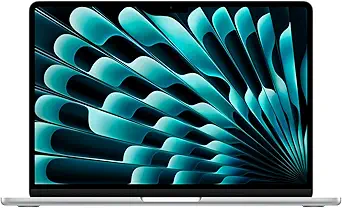
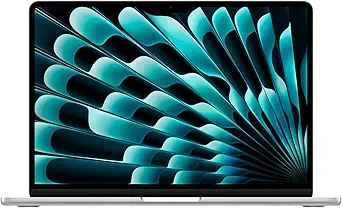
| Apple 2025 MacBook Air 13-inch | 13.6-inch Liquid Retina, 1 billion colors | 256GB SSD | 16GB Unified Memory | 2x Thunderbolt 4, MagSafe, headphone jack |
| Apple MacBook Air 13.3-inch La | 13.3 inches, 1440 x 900 | 128GB SSD | — | — |
| Apple MacBook Air with M1 Chip | 13.3-inch Retina, 2560 x 1600 | 256GB SSD | — | 2x Thunderbolt 3 / USB 4 |
| 2022 Apple MacBook Air with M2 | 13.6-inch Retina, 2560 x 1664 | 512GB SSD | — | — |
| Apple 2024 MacBook Air with M3 | 15.3-inch Liquid Retina, 2880 x 1864 | 256GB SSD | — | — |
| Apple MacBook Air | 13.3-inch Retina with P3 wide color | 256GB SSD | 8GB unified memory | Two Thunderbolt 3 |
| Apple 13-inch MacBook Air | 13.6-inch Liquid Retina, 1 billion colors | 512GB SSD | 32GB unified memory | 2x Thunderbolt 4 |
| Apple 2026 MacBook Air 15-inch | 15.3-inch Liquid Retina | 512GB SSD | 16GB unified memory | Supports up to 2 external displays |
| Apple 2024 MacBook Air 13-inch | 13.6-inch Liquid Retina | 512GB SSD | 16GB unified memory | 2x Thunderbolt |
| Apple MacBook Air | 13.3-inch Retina with True Tone | 512GB SSD | — | — |
| Apple MacBook Air 13.3" Retina | Retina | 256GB SSD | 8GB | — |
| Apple MacBook Air 13-inch Lapt | 13.6-inch Liquid Retina | 1TB SSD | 32GB Unified Memory | 2x Thunderbolt 4, MagSafe |
| Apple 2026 MacBook Air 13-inch | 13.6-inch Liquid Retina | 512GB SSD | 16GB Unified Memory | 2x Thunderbolt 4, MagSafe |
More Details on Our Top Picks
Apple 2025 MacBook Air 13-inch Laptop with M4 chip (16GB RAM, 256GB SSD) – Silver
This is the pick that makes the most sense for most students and creators who can buy new. The M4 chip handles video editing, photo workloads, and heavy multitasking without the thermal throttling older Airs sometimes hit, and 16GB of unified memory gives creative apps breathing room the 8GB M3 model can’t match. Compared with the renewed M2 Air, you get a newer architecture, an 18-hour battery claim, a sharper 12MP Center Stage camera, and MagSafe charging that frees up a Thunderbolt port. The tradeoff is real, though: 256GB of storage fills fast once you install editing suites and project files, and the two-port limit means dongle life for anyone with an external drive plus a monitor. Still, as an all-around campus-and-studio machine, this option stands out for balancing power, portability, and battery.
Pros:- M4 chip delivers fast, fluid performance for editing and multitasking
- Up to 18 hours of battery life spans a full day of classes or a shoot
- Vibrant 13.6-inch Liquid Retina display supporting 1 billion colors
- Seamless iPhone and Apple ecosystem integration for AirDrop and continuity workflows
Cons:- 256GB base storage is tight for media-heavy creative work
- Only two Thunderbolt 4 ports limits peripheral setups
Best for: Students and creators who want a current-generation machine with enough power for editing coursework, portfolios, and multitasking for years
Not ideal for: Videographers or photographers with large libraries — 256GB of storage will force constant offloading to external drives
- Chip:Apple M4
- Display:13.6-inch Liquid Retina, 1 billion colors
- Memory:16GB Unified Memory
- Storage:256GB SSD
- Camera:12MP Center Stage
- Battery Life:Up to 18 hours
- Ports:2x Thunderbolt 4, MagSafe, headphone jack
- External Displays:Up to 2
Our verdict“If budget allows a new machine, this is the most future-proof balance of power, portability, and battery for students and creators alike.”
Apple MacBook Air 13.3-inch Laptop (Intel Core i5, 8GB RAM, 128GB SSD) – MQD32LL/A (Certified Refurbished)
For the tightest budgets, this certified refurbished Intel Air is a notes-and-essays machine, nothing more. Its fifth-generation Core i5 was fine in its day, but compared with even the renewed M1 MacBook Air, it feels sluggish the moment you open a second browser-heavy app or attempt any photo editing — the M1’s architecture simply operates in a different performance class. The 1440×900 non-Retina display is noticeably softer than every Retina panel in this lineup, which matters for anyone doing visual work. Where it still earns a spot: at 2.96 pounds with a 12-hour battery and an honest 90-day warranty from Apple’s refurb program, it covers the basics dependably. The 128GB SSD is the biggest constraint — after macOS and a semester of files, you’ll be managing space constantly.
Pros:- Certified refurbished with a minimum 90-day warranty
- Ultra-portable at 2.96 pounds and 0.68 inches thick
- Up to 12 hours of battery life for a full class day
- SSD storage delivers quick boot and load times
Cons:- Fifth-generation Intel processor struggles with modern multitasking and creative apps
- 128GB of storage fills up quickly
- Non-Retina 1440×900 display looks dated next to every other pick
Best for: Students who need a cheap, reliable laptop strictly for writing, browsing, and streaming and who already own cloud storage
Not ideal for: Creators of any kind — the aging Intel chip, 8GB of RAM, and non-Retina display make editing work painful
- Processor:Intel Core i5, 1.8GHz (Turbo Boost to 2.9GHz)
- Display:13.3 inches, 1440 x 900
- RAM:8GB 1600MHz LPDDR3
- Storage:128GB SSD
- Battery:Up to 12 hours, 40Wh
- Weight:2.96 pounds
- Condition:Certified Refurbished, 90-day warranty minimum
Our verdict“A bare-minimum laptop for word processing and web work — anyone doing creative tasks should spend up for at least the M1 Air.”
Apple MacBook Air with M1 Chip (13.3 inch, 16GB RAM, 256GB SSD) – Space Gray (Renewed)
The M1 Air remains one of the smartest value plays in Apple’s lineup, and this renewed configuration ups the RAM to 16GB — the spec that actually matters for creators running Lightroom, Logic, or a dozen Chrome tabs alongside lecture slides. Against the Intel-based MQD32LL/A, the difference is night and day: silent fanless operation, dramatically better battery, and a true 2560×1600 Retina display for accurate visual work. It trails the M4 Air in raw speed and external display support, but for photo editing, writing, and coding coursework, most students won’t feel the gap. The compromises are the usual renewed-market caveats — possible cosmetic wear, a shorter warranty — plus a 7-core GPU and two Thunderbolt 3 ports that limit high-end workflows. As a budget creator machine, though, this pick punches well above its position in the lineup.
Pros:- M1 chip with 16GB RAM handles creative apps and heavy multitasking smoothly
- High-resolution 2560×1600 Retina display for accurate visual work
- Long battery life with efficient fanless design
- Touch ID for secure, fast logins between classes
Cons:- Renewed condition may include cosmetic imperfections
- Only two Thunderbolt 3 ports and no dedicated GPU for heavy rendering
Best for: Budget-conscious design, music, and coding students who need 16GB of RAM and a Retina display without paying new-model prices
Not ideal for: Video editors working with multiple 4K streams or anyone needing more than two external displays and the latest codec support
- Processor:Apple M1 8-Core CPU
- GPU:7-Core GPU, 16-Core Neural Engine
- RAM:16GB
- Storage:256GB SSD
- Display:13.3-inch Retina, 2560 x 1600
- Ports:2x Thunderbolt 3 / USB 4
- Security:Touch ID
Our verdict“The smartest spend in this roundup for creators on a budget — 16GB of RAM and a Retina screen at a renewed price.”
2022 Apple MacBook Air with M2 Chip, 13-inch, 16GB RAM, 512GB SSD, Space Gray (Renewed)
This configuration solves the single biggest problem with the base M4 Air: storage. With 512GB alongside 16GB of RAM, it’s the renewed pick that fits a full creative toolkit — project files, photo libraries, and a couple of large apps — without living on an external SSD. The M2 chip sits comfortably between the M1 and M4 in performance, and the redesigned 13.6-inch 2560×1664 display brings the brighter, more modern panel the older M1 lacks. Compared with the renewed M1 Air, you gain headroom for heavier editing sessions and a slightly larger canvas; compared with the M4, you trade a generation of speed and warranty peace of mind for double the storage at a lower cost. That trade is worth making for creators whose bottleneck is disk space, not CPU. Expect a shorter warranty than buying new.
Pros:- 512GB SSD fits large project files without external drives
- M2 processor handles demanding editing and multitasking well
- 16GB RAM supports creative suites alongside everyday apps
- Lightweight redesign with a larger 13.6-inch display
Cons:- Renewed product may carry a limited warranty
- No dedicated graphics card for GPU-heavy rendering work
Best for: Creators and students who need ample local storage for projects and would rather have 512GB than the newest chip
Not ideal for: Buyers who prioritize long warranty coverage and the latest performance — a new M4 Air serves them better
- Processor:Apple M2 8-Core
- RAM:16GB
- Storage:512GB SSD
- Display:13.6-inch Retina, 2560 x 1664
- Condition:Renewed
Our verdict“The best middle path in this lineup — modern performance and double the storage where the base M4 Air runs out of room.”
Apple 2024 MacBook Air with M3 Chip (15-inch, 8GB RAM, 256GB SSD) – Midnight (Renewed)
Screen real estate is the whole argument here. The 15.3-inch Liquid Retina at 2880×1864 gives split-screen note-taking, timeline editing, and reference-window workflows room that no 13-inch model in this roundup can offer — and it does so while staying lighter than many 13-inch Windows laptops. The M3 chip with its 10-core GPU is a genuine step up for creators over the M2, especially in graphics-optimized apps. But the configuration has a catch: 8GB of unified memory is the weak link. Compared with the renewed 16GB M2 Air, this model will hit memory pressure sooner when multitasking gets serious, no matter how fast the chip is. The renewed status and Midnight finish (which shows fingerprints readily) round out the tradeoffs. For students who value a big canvas over memory headroom, it’s a compelling, portable compromise.
Pros:- Large, high-resolution 15.3-inch Liquid Retina display for split-screen work
- M3 chip with 10-core GPU handles graphics-intensive apps well
- Surprisingly light and thin for a 15-inch laptop
- Wi-Fi 6E and 1080p camera improve connectivity and call quality
Cons:- 8GB of RAM limits multitasking and creative app headroom
- Renewed product may come with a limited warranty
- 256GB storage is tight for a media-centered workflow
Best for: Students and creators who split their screen constantly and want the largest display in the lightest possible chassis
Not ideal for: Heavy multitaskers and professional editors — 8GB of RAM will bottleneck demanding creative workflows
- Processor:Apple M3 8-Core Chip
- GPU:10-Core GPU
- RAM:8GB Unified
- Storage:256GB SSD
- Display:15.3-inch Liquid Retina, 2880 x 1864
- Connectivity:Wi-Fi 6E, Bluetooth 5.3, 2x Thunderbolt / USB4
- Weight:1.51 kg
Our verdict“Choose this for the biggest portable canvas in the lineup — but the 16GB M2 Air is the smarter pick if you multitask heavily.”
Apple MacBook Air (Late 2020) with M1 Chip, 13.3-inch, 8GB RAM, 256GB SSD, Space Gray (Renewed Premium)
This renewed MacBook Air featuring the M1 chip stands out for delivering remarkable performance at a lower cost compared to newer models like the 2024 M3 version. Its lightweight design and high-quality Retina display make it ideal for students who need portability and reliable everyday power, though its limited ports and lack of a dedicated GPU mean it may fall short for intensive creative tasks. Compared with the newer M3 models, it offers similar core performance with a more affordable price point, but with slightly older hardware and a potentially shorter warranty. The absence of additional ports restricts expandability, and it’s not suited for demanding creative workflows that require more GPU power or multiple external displays.Pros:- Powerful M1 chip delivers fast, smooth performance
- Lightweight and portable for on-the-go use
- Retina display with P3 wide color for vibrant visuals
- Secure Touch ID enhances privacy
Cons:- Limited to two Thunderbolt 3 ports, restricting connectivity
- Renewed condition may have some signs of prior use
- No dedicated GPU for intensive creative work
Best for: Students and creators on a budget who prioritize portability without sacrificing performance.
Not ideal for: Heavy media editors or 3D artists needing dedicated graphics or extensive peripheral support.
- Processor:Apple M1 chip (8-core CPU)
- Memory:8GB unified memory
- Storage:256GB SSD
- Display:13.3-inch Retina with P3 wide color
- Battery Life:Up to 18 hours
- Ports:Two Thunderbolt 3
Our verdict“This model suits students and creators seeking a balanced, affordable MacBook with solid performance for everyday tasks.”
Apple 13-inch MacBook Air (M5), 32GB Memory, 512GB SSD – Silver
The 13-inch MacBook Air with the M5 chip and 32GB RAM is designed for creators who demand serious multitasking and AI capabilities, outperforming models like the M3-based Air by offering more memory and storage. Its 13.6-inch Liquid Retina display with a billion colors makes it excellent for detailed editing and visual work, while the long 18-hour battery life supports all-day productivity. However, with only two Thunderbolt 4 ports, connecting multiple peripherals can be tricky, and the high-spec configuration comes at a premium, limiting accessibility for casual users. Compared to the M1 models, this version offers faster AI processing and better multitasking, but it’s less portable due to its slightly larger size and weight.Pros:- Massive 32GB unified memory enables intensive multitasking
- Vivid 13.6-inch Liquid Retina display supports a billion colors
- Up to 18 hours of battery life for all-day use
- Strong AI capabilities and seamless Apple ecosystem integration
Cons:- Limited to two Thunderbolt 4 ports, affecting expandability
- High price point for a portable laptop
- Larger size may reduce portability slightly
Best for: Creators and power users needing extensive RAM, storage, and peak performance for demanding workflows.
Not ideal for: Students seeking an ultra-lightweight device or casual users with basic needs.
- Chip:Apple M5
- Memory:32GB unified memory
- Storage:512GB SSD
- Display:13.6-inch Liquid Retina, 1 billion colors
- Battery Life:Up to 18 hours
- Ports:2x Thunderbolt 4
Our verdict“This MacBook Air is ideal for creators who need serious power and storage in a portable package, despite limited ports.”
Apple 2026 MacBook Air 15-inch Laptop with M5 chip: Built for AI, 15.3-inch Liquid Retina Display, 16GB Unified Memory, 512GB SSD, 12MP Center Stage Camera, Touch ID, Wi-Fi 7; Midnight
The 15-inch MacBook Air with the M5 chip offers a larger display ideal for multitasking, creative work, and immersive media, outperforming the 13-inch models like the M3 Air in screen real estate and AI capabilities. Its 16GB RAM and 512GB storage support demanding applications, while the 15.3-inch Liquid Retina screen with a billion colors makes detailed editing and presentations more comfortable. The extended 18-hour battery life is a strong plus for long days, but its size and weight are less ideal for those needing maximum portability. Its connectivity options are comprehensive, supporting up to two external displays and Wi-Fi 7, making it a versatile choice for students with diverse needs.Pros:- Large 15.3-inch Liquid Retina display supports rich, detailed visuals
- Powerful M5 chip with AI acceleration for demanding tasks
- 16GB RAM and 512GB SSD for multitasking and storage needs
- Up to 18 hours of battery life for all-day productivity
Cons:- Size and weight reduce portability compared to smaller models
- Limited to two external displays despite the larger size
- Premium price for a larger ultraportable
Best for: Students and creators who prefer a larger screen for productivity and creative workflows without sacrificing portability.
Not ideal for: Users who prioritize ultra-lightweight devices or minimalistic setups, as the larger form factor may be less convenient.
- Chip:Apple M5
- Display:15.3-inch Liquid Retina
- Memory:16GB unified memory
- Storage:512GB SSD
- Battery Life:Up to 18 hours
- Ports:Supports up to 2 external displays
Our verdict“This model suits students and creators wanting a bigger display and robust performance in a portable format.”
Apple 2024 MacBook Air 13-inch Laptop with M3 chip (16GB RAM, 512GB SSD, Starlight)
The 2024 MacBook Air with the M3 chip and 16GB RAM offers a notable upgrade over the M1-based models like the renewed 2020 version, with faster CPU and GPU cores supporting demanding tasks and multitasking. Its 13.6-inch Liquid Retina display with support for a billion colors makes it a strong choice for visual work, while the 18-hour battery life ensures all-day productivity. Compared to the older M1 models, it benefits from newer hardware, but the two Thunderbolt ports may limit connectivity for users with many peripherals. Its sleek, ultra-portable design makes it ideal for students and creators who want the latest tech without bulk.Pros:- Latest M3 chip with faster CPU and GPU cores for demanding applications
- Long-lasting 18-hour battery life
- Vivid Liquid Retina display supporting a billion colors
- Seamless integration with other Apple devices
Cons:- Only two Thunderbolt ports, limiting connectivity options
- Premium pricing may be a barrier for some
- Limited to two external displays support
Best for: Students and creators who want the latest Apple silicon with excellent performance and portability.
Not ideal for: Those needing multiple external ports or extensive peripheral support for complex workflows.
- Chip:Apple M3
- Memory:16GB unified memory
- Storage:512GB SSD
- Display:13.6-inch Liquid Retina
- Battery Life:Up to 18 hours
- Ports:2x Thunderbolt
Our verdict“This model is perfect for students and creators seeking cutting-edge performance in a highly portable package.”
Apple MacBook Air (Early 2020, Renewed) 13-inch with 1.1 GHz Intel Core i5, 8GB RAM, 512GB SSD, Space Gray
This 2020 renewal stands out for offering a well-rounded balance of performance, display quality, and portability. Its Retina display with True Tone makes it ideal for creators needing accurate visuals, while the Intel Core i5 ensures sufficient power for most student and creative tasks. Compared to the newer M-series models, it’s less future-proof but benefits from a familiar keyboard and proven Intel architecture. The main tradeoff is that the integrated graphics are limited for demanding creative workflows, and as a renewed product, warranty coverage may be less comprehensive. This model is best suited for students who need a reliable, lightweight machine capable of light creative work and daily productivity.
Pros:- Retina display with True Tone offers accurate color and sharp visuals
- Fast SSD provides quick data access and responsiveness
- Touch ID ensures secure login and quick authentication
- Ultra-lightweight design enhances portability
Cons:- Renewed condition might come with limited warranty coverage
- Integrated Intel Iris Plus Graphics may struggle with demanding creative tasks
- Older processor architecture compared to newer M-series options
Best for: Students and creators who prioritize proven Intel performance with a Retina display in a portable package
Not ideal for: Power users requiring high-end graphics or the latest chip architecture, or those needing extensive warranty coverage
- Display:13.3-inch Retina with True Tone
- Processor:1.1 GHz Intel Core i5 (10th gen)
- RAM:8GB
- Storage:512GB SSD
- Color:Space Gray
- Graphics:Intel Iris Plus Graphics
Our verdict“Best for students and creators seeking a reliable, portable machine with a Retina display and sufficient power for everyday use.”
Apple MacBook Air 13.3″ Retina Display, 1.6GHz Dual-Core Intel Core i5, 256GB SSD, 8GB Memory, Space Gray (Renewed)
This model makes the most sense for budget-conscious students who need a capable machine without sacrificing Retina display quality. Its dual-core 8th-generation Intel Core i5 processor offers decent performance for daily tasks, but it falls behind the newer M-series in speed and energy efficiency. The 256GB SSD provides swift storage, but may be tight for large creative files, especially compared with the 512GB options like the M5-powered model. Its Retina display and Touch ID elevate the experience for creative work, yet the older processor limits demanding multitasking or graphics-intensive projects. Overall, this pick is ideal for students new to creative work or those with modest media libraries, who value affordability and portability.
Pros:- Sharp Retina display enhances visual clarity
- Fast SSD and 8GB RAM support smooth multitasking
- Touch ID and Force Touch trackpad add convenience and usability
- Compact, lightweight design for portability
Cons:- Dual-core processor limits performance for demanding workflows
- 256GB storage may be insufficient for media-heavy projects
- Older processor architecture compared to newer models
Best for: Students seeking a budget-friendly, Retina-display-equipped MacBook for light creative and daily tasks
Not ideal for: Power users or creators working with large media files or requiring high-performance graphics
- Display:Retina
- Processor:Dual-core 8th-generation Intel Core i5, 1.6 GHz
- Memory:8GB
- Storage:256GB SSD
- Color:Space Gray
- Graphics:Intel UHD Graphics 616
Our verdict“Best for students on a budget who need a reliable MacBook with a Retina display for light creative tasks and everyday use.”
Apple MacBook Air 13-inch Laptop with M5 chip, 32GB Unified Memory, 1TB SSD, Midnight
This MacBook Air with the M5 chip elevates performance significantly over Intel-based models, making it ideal for creators with more demanding workflows. Its 32GB of unified memory and 1TB SSD enable smooth multitasking and ample storage for media projects, while the 13.6-inch Liquid Retina display supports a billion colors, perfect for color-critical work. Its powerful AI capabilities, thanks to the Neural Engine, add a new dimension for creative tasks involving machine learning. Compared with lower-memory models like the M4-powered Air, this version offers unparalleled multitasking and future-proofing, though it’s more expensive and only has two Thunderbolt ports, which could limit peripheral options. This model suits creators who need serious power in a portable form factor.
Pros:- Up to 18 hours of battery life supports all-day work
- M5 chip delivers strong CPU, GPU, and AI performance
- Vibrant Liquid Retina display with support for 1 billion colors
- Versatile port selection including Thunderbolt 4 and MagSafe
Cons:- Limited to only two Thunderbolt 4 ports, restricting peripheral expansion
- Higher cost compared to lesser-spec models
- Premium features may be overkill for basic needs
Best for: Creative professionals and students who require high performance, large storage, and advanced AI features
Not ideal for: Users needing extensive peripheral connectivity or on a tighter budget
- Display:13.6-inch Liquid Retina
- Chip:Apple M5
- Memory:32GB Unified Memory
- Storage:1TB SSD
- Battery Life:Up to 18 hours
- Ports:2x Thunderbolt 4, MagSafe
Our verdict“Best suited for creators and students who need serious computational power, large storage, and AI capabilities in a portable package.”
Apple 2026 MacBook Air 13-inch Laptop with M5 chip (16GB RAM, 512GB SSD) – Silver
This 2026 model builds on the M5 platform, offering 16GB of unified memory and 512GB of storage, making it a strong contender for future-proofing. Its 13.6-inch Liquid Retina display with 1 billion colors makes creative tasks vibrant and immersive, while the Neural Engine and next-gen GPU push AI and multitasking to new levels. The system’s connectivity options—Wi-Fi 7, Thunderbolt 4, MagSafe—are highly versatile for modern workflows, and the 18-hour battery life ensures productivity without constant charging. Compared with the 32GB version, this configuration is more affordable and still quite capable, but the 512GB storage limit may be restrictive for media-heavy projects. This pick is ideal for users planning to keep their device for years and engaging in advanced AI-driven tasks.
Pros:- Up to 18 hours of battery life supports extensive work sessions
- 16GB of unified memory enhances multitasking and AI workloads
- Vibrant Liquid Retina display with 1 billion colors
- Supports up to two external displays with versatile ports
Cons:- Limited to 512GB storage, which may be insufficient for large media libraries
- Only two Thunderbolt ports could restrict peripheral options
- Higher price point for premium features
Best for: Advanced creators and students seeking a future-proofed MacBook with ample RAM and high-quality display for complex workflows
Not ideal for: Those needing maximum storage capacity or extensive peripheral connectivity, or on a tighter budget
- Display:13.6-inch Liquid Retina
- Chip:Apple M5
- Memory:16GB Unified Memory
- Storage:512GB SSD
- Battery Life:Up to 18 hours
- Ports:2x Thunderbolt 4, MagSafe
Our verdict“Ideal for future-focused creators and students who want a powerful, AI-capable MacBook that stays relevant for years.”

How We Picked
These laptops were selected based on a combination of performance, build quality, usability, and value. Priority was given to models with the latest chips, ensuring future-proofing for demanding tasks. We considered user experience factors like screen size, weight, and battery life, which are crucial for students and creators constantly on the move. Additionally, models offering different configurations were included to showcase options for varying budgets and needs. The ranking reflects a balance between raw power, portability, and cost-effectiveness, ensuring each pick serves a specific user profile effectively.Factors to Consider When Choosing Macbook Air For Students And Creators
When choosing a MacBook Air for students and creators, understanding key factors can help you avoid common pitfalls. Beyond specs, consider how the device will fit into your daily routine, software needs, and budget. Making informed decisions ensures you get a machine that truly supports your creative projects and academic tasks without unnecessary compromises.Performance and Chip Choice
The processor is the heart of your MacBook Air’s capabilities. The transition from Intel to Apple Silicon chips has dramatically improved performance and efficiency. For creators working with intensive applications like video editing or 3D rendering, opting for the latest M5 or M4 chips can significantly reduce processing times. Students with lighter workloads may find earlier M1 or M2 models sufficient, but investing in newer chips generally provides better longevity and future-proofing.
Size and Portability
Size impacts both portability and workspace comfort. The standard 13-inch models excel for students who need to carry their device daily, fitting easily into backpacks. Larger models, like the 15-inch MacBook Air, benefit creators who prefer bigger screens for detailed editing or multitasking. Keep in mind that bigger screens often mean increased weight, which might be a tradeoff if mobility is your priority.
Memory and Storage
Multitasking and large files demand ample RAM and storage. For most creators, 16GB of RAM enhances workflow fluidity, especially when working with multiple apps or large media files. Storage capacity varies; 512GB or higher is advisable for those handling large projects or media libraries, while students with basic needs can opt for 256GB or less. Balancing these specs against budget is vital to avoid bottlenecks down the line.
Battery Life and Usage Patterns
Battery endurance directly influences productivity, especially for on-the-go use. Newer chips like the M5 and M4 generally offer longer battery life, allowing for extended periods between charges. If your work involves traveling or long study sessions without easy access to power, prioritize models with recent chips and efficient displays. Be aware that screen size and brightness settings can also impact overall battery performance.
Price, Refurbished, and Future-Proofing
While new models offer the latest features, refurbished options can provide substantial savings with minimal performance tradeoffs. When choosing, consider how long you plan to use the device—investing in higher specs or newer chips makes sense if you want your laptop to remain capable for years. Conversely, budget constraints might make a slightly older or refurbished model a practical choice, especially if you select reputable sources.
Frequently Asked Questions
Is it worth paying extra for the latest M5 chip in a MacBook Air?
Investing in the latest M5 chip generally offers better performance, improved efficiency, and longer software support, making it worthwhile for creators handling demanding tasks. While older chips like the M1 or M2 are still capable, the M5 provides a noticeable boost in speed, especially for multitasking and media editing. If your budget allows, choosing the newest chip can extend the device’s relevance and usability over several years.
Should I prioritize storage over RAM for creative work?
Both storage and RAM are important, but their priorities depend on your workflow. For media-heavy tasks like video editing, having ample storage ensures you can hold large files locally, while sufficient RAM (16GB or more) allows for smoother multitasking and editing. If forced to choose, investing in higher RAM often yields more immediate performance benefits, but coupling it with at least 512GB of storage is ideal for most creators.
Are refurbished MacBook Airs reliable for daily school or creative use?
Refurbished MacBook Airs from reputable sources can be a reliable choice, offering significant savings without sacrificing much performance. Look for certified refurbishments with warranties and thorough testing. They often have the same build quality as new models, making them suitable for daily use—whether for classwork or creative projects—especially if you select a recent model with current chips and sufficient specs.
How important is screen size for creators versus students?
Screen size influences both workflow comfort and portability. Creators benefit from larger displays, like 15-inch or even 16-inch models, which provide more workspace for editing and multitasking. Students, on the other hand, often prefer smaller, lighter models that fit easily into bags and are easier to carry around campus. The right size balances your need for screen real estate against your mobility requirements.
What specs should I consider if I want my MacBook Air to last several years?
Choosing a model with the latest generation chip, ideally the M5 or M4, ensures better longevity through improved performance and software support. Increasing RAM to 16GB or more and opting for higher storage capacity also extend usability, especially as files and multitasking demands grow. Investing in a slightly higher-spec model upfront can prevent the need for an early upgrade and keep your device relevant longer.
Conclusion
For students seeking a lightweight, reliable workhorse, the Apple MacBook Air with M1 chip offers an excellent balance of performance and affordability. Creators who need more power and larger screens should consider the 2022 M2 or M5 models, which excel in demanding tasks. Budget-conscious buyers should explore refurbished options, while those wanting the latest tech will find the 2025 MacBook Air with M4 or M5 chips worth the investment. Overall, your choice should align with your priorities: portability, power, or budget, ensuring your new MacBook Air supports your goals for years to come.