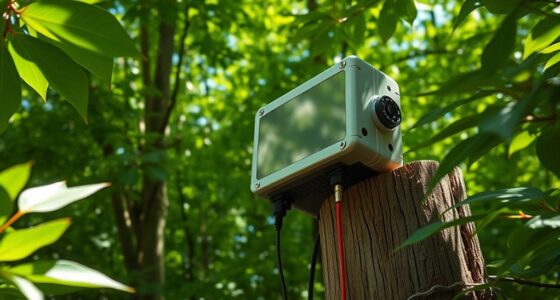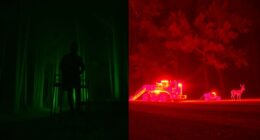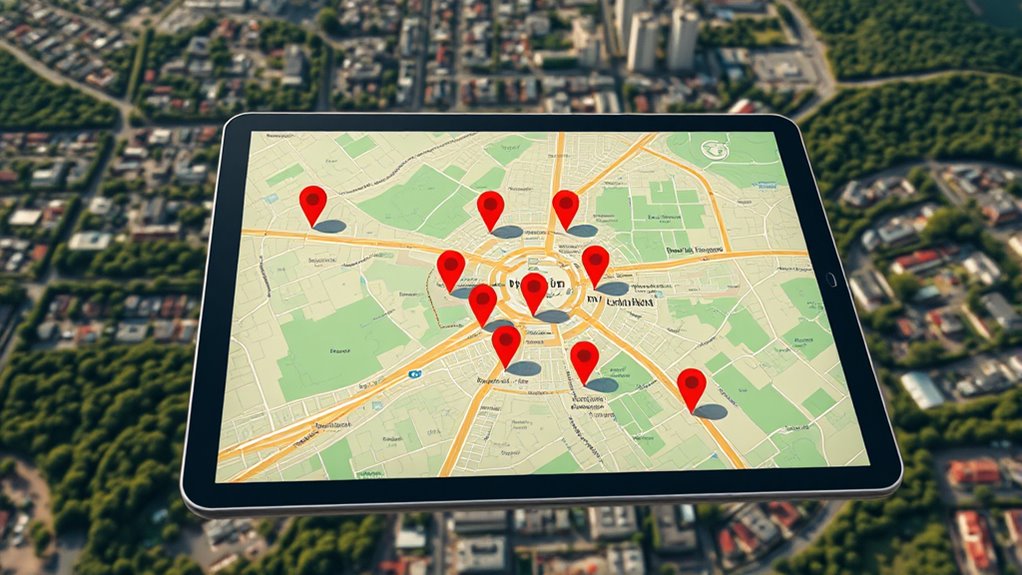

To map hot spots using GPS, start by collecting relevant data like crime reports or incident locations. Input this data into a GPS mapping system, verifying accuracy and filtering by incident type or time. Analyze the resulting maps to identify clusters, patterns, and recurring activity, then update regularly for ongoing insights. Sharing these visuals helps coordinate efforts and make smarter decisions. Keep exploring to learn more ways to enhance your hotspot mapping strategy.
Key Takeaways
- Collect and verify relevant incident data, ensuring accuracy and recent updates for effective mapping.
- Input data into GPS mapping software, applying filters for specific incident types or time frames.
- Generate heat maps highlighting high-activity areas and identify clusters or patterns visually.
- Analyze maps to recognize trends, prioritize resource deployment, and detect recurring offenders or peak times.
- Continuously update maps with new data, share insights with team members, and adjust strategies accordingly.

GPS mapping of hot spots has become an indispensable tool for identifying areas with high activity levels quickly and accurately. When you leverage this technology, it transforms how law enforcement and emergency services understand and respond to critical situations. By analyzing the geographic distribution of incidents, you can pinpoint locations where crime is most concentrated or where accidents tend to occur more frequently. This targeted insight allows for more effective crime analysis, enabling you to allocate resources efficiently and develop strategies that address underlying issues. In emergency response, GPS mapping helps you deploy personnel swiftly to hotspots, reducing response times and potentially saving lives.
GPS mapping of hot spots enables precise, rapid responses for safer communities and more effective law enforcement.
To begin, you need to gather relevant data points—such as crime reports, incident locations, or emergency calls—and input them into a GPS mapping system. As you do this, the software begins to create a visual representation of activity patterns. The essential is to verify your data is accurate and up-to-date; outdated information can lead to misinterpretation and ineffective responses. Once you have your data, you can adjust filters to focus on specific types of incidents or time frames, helping you hone in on the most pressing issues. This process simplifies complex datasets into visual maps that you can interpret easily, making it easier to identify hot spots where intervention could be most effective. Considering seasonal and environmental factors can further refine your analysis, as seasonal variations influence activity levels and safety concerns.
Next, you’ll want to analyze these maps to understand patterns. For example, you might notice a cluster of thefts around a particular neighborhood or a spike in medical emergencies near a certain intersection. Recognizing these trends allows you to prioritize your efforts, whether that means increasing patrols, installing surveillance, or planning targeted outreach. When you integrate crime analysis with GPS mapping, you can also identify recurring offenders or specific times when activity peaks, sharpening your strategy for long-term crime prevention. Emergency response teams benefit from this by knowing exactly where to position resources in anticipation of high-traffic periods or locations, improving response times and outcomes.
Finally, ongoing monitoring and updating your maps are vital. As new data comes in, your hot spot analysis becomes more refined, ensuring your responses stay relevant. Sharing these insights with your team fosters coordinated efforts, making your interventions more strategic and impactful. Whether you’re working on crime reduction or emergency management, GPS mapping of hot spots empowers you to act decisively, backed by clear, visual evidence. It’s a game-changer in how you approach public safety, helping you respond faster, analyze smarter, and ultimately create safer communities.

FLIR E5 Pro - Commercial Thermal Imaging Camera with Wifi. High Resolution Infrared Camera with FLIR Ignite Cloud
Model E5 Pro: Handheld IR camera measures temperatures from -20°C to 400°C (-4°F to 752°F)
As an affiliate, we earn on qualifying purchases.
Frequently Asked Questions
What Equipment Is Necessary for Professional GPS Hot Spot Mapping?
You need essential equipment like a high-quality GPS receiver, portable power sources, and data collection software for professional GPS hot spot mapping. These equipment essentials guarantee data accuracy and reliability during your mapping process. A rugged tablet or smartphone with GPS capabilities, along with a reliable backup battery, helps you gather precise location data efficiently. Proper calibration and consistent data recording are key to producing accurate, useful hot spot maps.
How Accurate Is GPS Mapping in Densely Wooded or Urban Areas?
Imagine steering through a dense forest or bustling city as trying to find your way through a thick fog. GPS mapping in these areas faces challenges like satellite interference and signal degradation, which can reduce accuracy considerably. In urban zones, tall buildings may block signals, while wooded areas cause signal bounce. Expect precision to vary, often falling short of pinpoint accuracy, making it essential to supplement GPS data with ground truthing for reliable results.
Can GPS Mapping Be Integrated With Existing GIS Systems?
Yes, you can integrate GPS mapping with your existing GIS systems. This process involves GIS integration, which allows seamless data synchronization between GPS devices and your GIS database. You’ll need compatible software and proper data management practices to guarantee accurate updates. By doing this, you streamline your workflow, improve data accuracy, and ensure real-time information sharing across platforms, making your hot spot analysis more efficient and reliable.
What Are Common Challenges Faced During GPS Hot Spot Mapping?
Guiding the maze of GPS hot spot mapping, you often face hidden thorns like signal interference that muddles your path and threatens data accuracy. These challenges can distort your map’s clarity, making it harder to pinpoint true hot spots. You must troubleshoot signal disruptions and guarantee precise data collection, like tuning an instrument to harmony, so your mapping remains reliable and insightful despite these technical hurdles.
How Can GPS Data Be Used to Improve Safety and Security?
You can use GPS data to improve safety and security through real-time monitoring, allowing you to respond swiftly to incidents. Predictive analytics analyze patterns and hot spots, helping you anticipate and prevent issues before they escalate. By integrating these tools, you’ll enhance situational awareness, optimize resource deployment, and guarantee quicker responses, ultimately creating a safer environment for everyone involved.

FOXWELL RT280 Thermal Imaging Camera, 320 X 240 2.8" LCD Screen Thermal Camera, TISR Resolution 240 x 180, 25Hz Handheld Infrared Cameras with Laser, PC Analysis, Photo & Video Recording, 8GB Storage
【Enhanced Thermal Clarity for Precise Inspections】The RT280 handheld thermal imaging camera features a 2.8-inch 320×240 LCD screen for...
As an affiliate, we earn on qualifying purchases.
Conclusion
Now you’ve uncovered the secrets of GPS mapping, turning raw data into a treasure map of hot spots. With each step, you’re like a skilled explorer charting uncharted territory, bringing hidden gems into the light. Remember, this process is your compass in the vast landscape of data, guiding you confidently forward. Keep your senses sharp and your curiosity alive—your next discovery is just a pinpoint away, waiting to light up your world like a shining star.

FLIR TG165-X Thermal Imaging Camera with Bullseye Laser: Commercial Grade Infrared Camera for Building Inspection, HVAC and Electrical
MODEL TG165-X: 4,800 pixel IR camera measures temperatures from -25°C to 300°C (-13°F to 572°F)
As an affiliate, we earn on qualifying purchases.
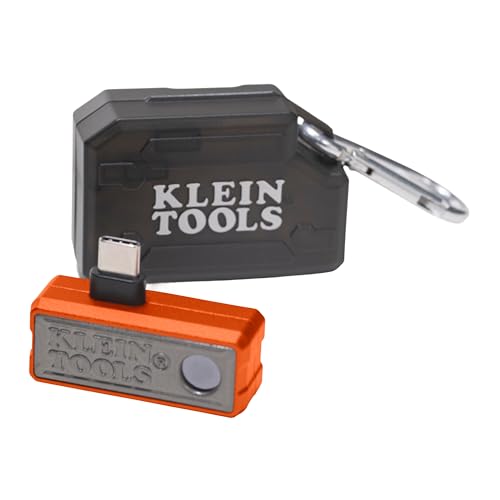
Klein Tools TI223 Mobile Thermal Imaging Camera, Thermal Imager for iOS and Android, 19,200 Pixels, Wide Temperature Range of -4 to 752-Degree Fahrenheit, Professional Infrared Camera
19,200-PIXEL RESOLUTION: High-quality thermal imaging camera delivers excellent resolution for troubleshooting hot and cold spots in electrical and...
As an affiliate, we earn on qualifying purchases.