Battery drain happens because chemical reactions inside your device’s battery convert stored energy into electrical power, supplying your device with energy to function. These reactions create electrical currents but also cause chemical changes that slowly reduce the battery’s capacity over time. Using high-demand features or exposure to heat accelerates this process. To understand how these chemical and electrical factors work together to limit your device’s runtime, keep exploring further.
Key Takeaways
- Battery drain results from internal chemical reactions converting stored energy into electrical current, which diminishes over time.
- Discharge rate depends on the battery’s chemical processes and the electrical load from device components.
- Chemical degradation causes internal changes that reduce the battery’s ability to sustain voltage and charge.
- Power consumption by device components and inefficient power management increase electrical drain.
- Temperature accelerates chemical reactions, speeding up battery aging and increasing electrical drain over time.

Understanding how batteries drain is essential because it affects the performance and lifespan of your devices. When you use a smartphone, laptop, or any portable gadget, you’re relying on the battery’s stored energy to keep everything running smoothly. But what exactly causes that energy to deplete? The answer lies in the core science of battery chemistry and the way power is managed within your device. Battery chemistry, which involves the chemical reactions inside the battery, determines how much energy is stored and how quickly it can be released. Different types of batteries—like lithium-ion, nickel-metal hydride, or lead-acid—have distinct chemical processes that influence their capacity and rate of discharge. For instance, lithium-ion batteries are popular because they offer high energy density and relatively slow voltage fade over time, but even they are subject to chemical changes that gradually reduce their ability to hold a charge.
Power management plays a vital role in how efficiently your device uses that stored energy. Every smartphone or laptop has a system designed to optimize power consumption, controlling components like the processor, display, and wireless modules to extend battery life. When you run multiple apps or have high screen brightness, you’re demanding more power, which accelerates drain. On the other hand, enabling power-saving modes adjusts various settings—like limiting background activity or reducing screen refresh rates—to conserve energy. Good power management can notably slow down battery drain, but it can’t completely stop the natural chemical degradation happening inside your battery. As the internal chemical reactions become less efficient over time, the battery’s capacity shrinks, leading to shorter usage intervals between charges.
Understanding the interplay between battery chemistry and power management helps you make smarter decisions about device usage. For example, knowing that high temperatures accelerate chemical breakdown prompts you to keep your device cool, prolonging its battery life. Similarly, being aware of how background processes drain energy encourages you to close unnecessary apps and optimize your device’s settings. Manufacturers often incorporate advanced power management algorithms that dynamically adjust resource allocation based on usage patterns, which can help you get more life out of each charge. Ultimately, while you can’t completely prevent battery drain caused by chemical aging, being mindful of how your device’s power management strategies and battery chemistry work together allows you to maximize performance and extend your device’s usable lifespan.
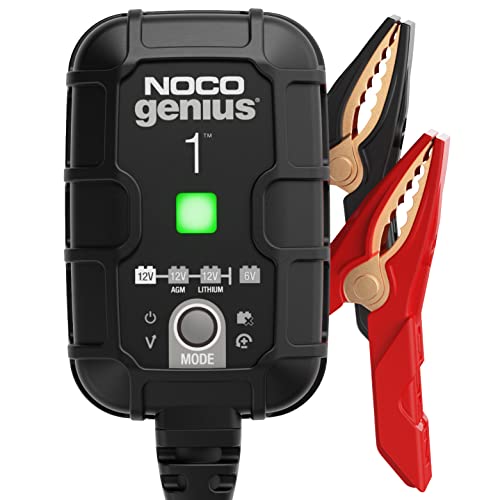
NOCO GENIUS1: 1A 6V/12V Smart Battery Charger – Automatic Maintainer, Trickle Charger & Desulfator with Overcharge Protection & Temperature Compensation – for Lead-Acid & Lithium Batteries
MEET THE GENIUS1 — Similar to our G750, just better. It's 35% smaller and delivers over 35% more…
As an affiliate, we earn on qualifying purchases.
As an affiliate, we earn on qualifying purchases.
Frequently Asked Questions
How Do Temperature Changes Influence Battery Drain Rates?
Temperature changes directly impact your battery’s drain rate through thermal effects on chemical reactions. When it’s too hot, these reactions accelerate, causing the battery to drain faster and possibly damage it. Conversely, cold temperatures slow down chemical processes, reducing power output temporarily but risking capacity loss over time. Maintaining a suitable temperature helps guarantee stable chemical reactions, prolonging your battery’s life and efficiency.
What Role Do Apps Play in Accelerated Battery Depletion?
Apps can turn your device into a runaway train, draining your battery faster than you’d like. They often run in the background, especially if permissions aren’t managed properly, causing unnecessary power loss. To curb this, you should review app permissions and use app optimization tools. These steps help keep your battery life steady, preventing apps from sneaking around and sapping your device’s energy like a leaky faucet.
Can Battery Age Significantly Impact Drain Speed?
Yes, battery age can markedly impact drain speed. As your battery ages, its chemistry deteriorates, leading to reduced capacity. This means your device needs to work harder to supply power, increasing drain. Poor power management exacerbates this issue, causing faster depletion. To extend battery life, optimize power management settings and consider replacing an aging battery, especially if you notice rapid drain despite minimal usage.
How Does Background Activity Affect Overall Battery Life?
Background activity increases your device’s power consumption because system processes run without your direct input. These processes, like app updates or syncing, keep your battery draining faster even when you’re not actively using your device. To improve battery life, you should manage background activity by closing unnecessary apps and disabling automatic updates. Doing so reduces power consumption, helping your battery last longer throughout the day.
Are There Specific Devices More Prone to Rapid Battery Drain?
Certain devices, like older smartphones, tablets, and smartwatches, are more prone to rapid battery drain because of higher power consumption and lower device efficiency. You’ll notice they lose charge faster, especially when running multiple apps or features simultaneously. To extend battery life, consider upgrading to newer models with better power management, closing unused apps, and lowering screen brightness, which can help reduce overall power consumption.

KKnoon 150W 20A Adjustable Constant Current Electronic Load 2.4inch TFT Color Display 4 Working Modes USB Lithium Battery Capacity Monitor Tester Discharge Meter
✔️This product is a direct current CNC electronic load, with a maximum power of 150W and a maximum…
As an affiliate, we earn on qualifying purchases.
As an affiliate, we earn on qualifying purchases.
Conclusion
Understanding the science behind battery drain helps you make smarter choices to extend your device’s life. By knowing how electrical components and usage habits affect power consumption, you become more in control. Remember, “A stitch in time saves nine”—addressing small issues early can prevent bigger problems down the line. Stay mindful of your device’s energy habits, and you’ll keep it running smoothly longer, proving that knowledge truly is power.

Anker Portable Charger, 10,000mAh 30W Power Bank, USB-C in and Out Fast Charging Battery Pack, Travel Essential Phone Power Bank, for iPhone 17/16, Galaxy and More (Black, 10000.00, Milliamp Hours)
Speedy 30W Charging: Experience cutting-edge 30W fast charging technology—twice as fast as 5V/3A chargers. Boost an iPhone 16…
As an affiliate, we earn on qualifying purchases.
As an affiliate, we earn on qualifying purchases.

TempPro TP50 Digital Hygrometer Indoor Thermometer Room Thermometer and Humidity Gauge with Temperature Humidity Monitor(Previously ThermoPro)
Wellness Indicator: This humidity meter with humidity level icon indicates air conditions – DRY/COMFORT/WET, allowing this humidity sensor…
As an affiliate, we earn on qualifying purchases.
As an affiliate, we earn on qualifying purchases.