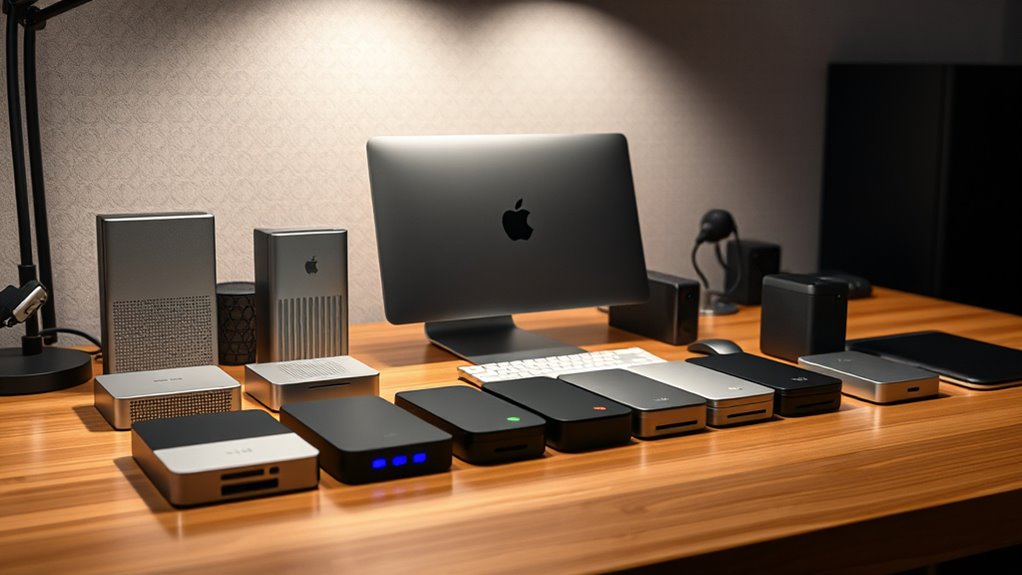

Finding the right external drive for your Mac Studio involves balancing speed, capacity, portability, and price. The best overall choice is the SanDisk 2TB Extreme Portable SSD for its combination of fast transfer speeds and rugged design. The OWC miniStack STX 20TB Thunderbolt Storage and Hub stands out for those needing massive capacity and integrated hub features, while the WD 6TB My Passport Ultra for Mac offers a reliable, portable hard drive for everyday use. Since external drives vary widely in speed, durability, and features, choosing the right one depends on your specific needs. Continue reading for a detailed breakdown of each option and what makes it suitable for different workflows.

Get books and cozy reading nights delivered free with Prime
- Fast, free delivery on millions of items
- Prime Video, Amazon Music and more included
- Member-only deals all year
Key Takeaways
- Fast SSDs like the SanDisk Extreme deliver superior performance for creative workflows compared to traditional HDDs.
- High-capacity options like the OWC miniStack STX are best suited for users with large media libraries requiring extensive storage.
- Compatibility with Thunderbolt 3/4 is essential for maximizing speed with Mac Studio, especially for professional tasks.
- Portability varies widely; rugged, compact drives are ideal for on-the-go use, while larger setups suit stationary workflows.
- Price differences reflect build quality, speed, and capacity; investing more generally offers better longevity and performance.
| SanDisk 2TB Extreme Portable SSD |  | Best for Rugged, High-Speed On-the-Go Storage | Capacity: 2TB | Read Speed: 1050MB/s | Write Speed: 1000MB/s | VIEW ON AMAZON | See Our Full Breakdown |
| OWC miniStack STX 20TB Thunderbolt Storage and Hub – Silver |  | Best for Large-Capacity, Multi-Drive Professional Workflows | Total Capacity: 20TB | Drive Bays: Dual (1 SATA, 1 M.2 NVMe) | Thunderbolt Ports: 4 | VIEW ON AMAZON | See Our Full Breakdown |
| WD 6TB My Passport Ultra for Mac Silver Portable External Hard Drive |  | Best for Large, Secure Mac Storage with Backup Software | Capacity: 6TB | Design: Sleek metal | Connectivity: USB-C, USB 3.1 | VIEW ON AMAZON | See Our Full Breakdown |
| SanDisk 1TB Portable SSD Drive |  | Best for Compact, Fast Storage on the Go | Capacity: 1TB | Read Speed: up to 600MB/s | Drop Protection: Up to 2 meters | VIEW ON AMAZON | See Our Full Breakdown |
| WD 6TB My Passport for Mac, Navy, Portable External Hard Drive with Backup Software and Password Protection |  | Best for Secure, Large-Capacity Mac Storage with Backup | Capacity: 6TB | Interface: USB 2.0/3.0 | Hardware Encryption: Yes | VIEW ON AMAZON | See Our Full Breakdown |
| Sabrent Rocket Nano XTRM 4TB External SSD – Thunderbolt 3, USB 3.2 Gen 2, Compact Aluminum, Includes Cables |  | Best Overall for Portable Speed and Versatility | Storage Capacity: 4 TB | Interface: Thunderbolt, USB 3.2 Gen 2 | Max Read Speed: 2700 MB/s | VIEW ON AMAZON | See Our Full Breakdown |
| WD 2TB Elements Portable External Hard Drive for Windows, USB 3.2 Gen 1/USB 3.0 | 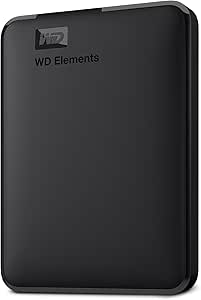 | Best Value for Large Capacity in a Simple Package | Capacity: 2TB | Interface: USB 3.2 Gen 1 / USB 3.0 | Compatibility: Windows, Mac | VIEW ON AMAZON | See Our Full Breakdown |
| UGREEN NeoDrive Creator 2TB Thunderbolt 5 External Portable SSD |  | Best for Ultra-High-Speed, High-Resolution Workflows | Storage Capacity: 2TB | Interface: Thunderbolt 3/4/5, USB4 | Read/Write Speed: up to 6600 MB/s | VIEW ON AMAZON | See Our Full Breakdown |
| OWC StudioStack 8TB NVMe Thunderbolt 5 Storage and Hub |  | Best for Extensive Storage and Multi-Device Connectivity | Performance: Up to 6302 MB/s | Storage Capacity: 8TB NVMe SSD, 24TB HDD | Connectivity: 3 Thunderbolt 5 (USB-C), 3 USB-A | VIEW ON AMAZON | See Our Full Breakdown |
| mac studio external drife | Capacity | Compatibility |
|---|---|---|
| SanDisk 2TB Extreme Portable S | 2TB | — |
| OWC miniStack STX 20TB Thunder | — | Thunderbolt 3, 4, 5, USB-C, USB-A |
| WD 6TB My Passport Ultra for M | 6TB | — |
| SanDisk 1TB Portable SSD Drive | 1TB | — |
| WD 6TB My Passport for Mac | 6TB | Mac |
| Sabrent Rocket Nano XTRM 4TB E | — | Mac, PC, Linux |
| WD 2TB Elements Portable Exter | 2TB | Windows, Mac |
| UGREEN NeoDrive Creator 2TB Th | — | Windows, macOS, Linux |
| OWC StudioStack 8TB NVMe Thund | — | — |
More Details on Our Top Picks
SanDisk 2TB Extreme Portable SSD
The SanDisk 2TB Extreme Portable SSD stands out for its impressive NVMe speeds of up to 1050MB/s, making it ideal for quickly transferring large media files. Its rugged design, with IP65 water and dust resistance, surpasses many competitors like the WD 6TB My Passport Ultra, which lacks durability features. However, performance can vary depending on the host device, and it’s limited to USB-C, which might restrict compatibility in some setups. Compared to bulkier solutions, this SSD’s compact size and hardware encryption offer a balance of portability and security for mobile creators. The main tradeoff is the premium price for high-speed durability, which might be less appealing for budget-conscious users.
Pros:- High-speed data transfer up to 1050MB/s
- Rugged with IP65 water and dust resistance
- Hardware encryption for secure data
Cons:- Performance may vary depending on host device
- Limited to USB-C connectivity
Best for: Content creators and professionals needing fast, durable storage on the move
Not ideal for: Users seeking a budget-friendly, large-capacity backup drive without rugged features
- Capacity:2TB
- Read Speed:1050MB/s
- Write Speed:1000MB/s
- Water and Dust Resistance:IP65
- Drop Protection:Up to 3 meters
- Connectivity:USB-C, USB 3.2 Gen 2
Our verdict“This drive is perfect for mobile professionals who prioritize speed and durability in rugged environments.”
OWC miniStack STX 20TB Thunderbolt Storage and Hub – Silver
The OWC miniStack STX 20TB excels in offering massive storage capacity combined with Thunderbolt 4 support, making it suitable for demanding editing workflows like 4K video. Unlike the SanDisk Extreme SSD, which focuses on portability, this model emphasizes high capacity and expandability, supporting both SATA and NVMe drives. Its multiple Thunderbolt ports and 96W power delivery make it a versatile hub for connecting multiple high-resolution displays and devices. The main drawback is its premium price and the need for compatible Thunderbolt or USB-C devices, which could limit usability for some users. It’s a clear choice for professionals with high storage and connectivity needs, rather than casual users or those on a tight budget.
Pros:- Massive 20TB total capacity
- Supports multiple drive types (SATA and NVMe)
- High-speed Thunderbolt 4 ports with display support
Cons:- High cost and complexity for casual users
- Requires compatible Thunderbolt-enabled devices
Best for: Video editors and data professionals requiring large, expandable storage and multiple high-speed connections
Not ideal for: Casual users or those with only USB-C devices lacking Thunderbolt support
- Total Capacity:20TB
- Drive Bays:Dual (1 SATA, 1 M.2 NVMe)
- Thunderbolt Ports:4
- Power Delivery:Up to 96W
- Display Support:Up to 8K @ 60Hz
- Compatibility:Thunderbolt 3, 4, 5, USB-C, USB-A
Our verdict“Ideal for high-end professional workflows demanding large, flexible, and high-speed storage solutions.”
WD 6TB My Passport Ultra for Mac Silver Portable External Hard Drive
The WD 6TB My Passport Ultra for Mac offers ample storage with a sleek metal design tailored for Mac users, standing out from smaller drives like the SanDisk Extreme SSD by its larger capacity and traditional HDD form factor. Its USB-C and USB 3.1 connectivity facilitate easy data transfer, but its slower data rate of only 1MB/s limits its effectiveness for large or time-sensitive transfers. It includes backup software with ransomware protection, providing a layer of security that’s absent in many simple external drives. However, the lack of hardware encryption and slower speed make it less suitable for high-performance needs or quick backups. This drive suits those prioritizing capacity and security over speed in a Mac environment.
Pros:- Large 6TB capacity
- Sleek, durable metal design
- Includes backup software with ransomware protection
Cons:- Limited to 1MB/s transfer rate
- No hardware encryption
Best for: Mac users needing large capacity and integrated backup solutions for routine storage and archiving
Not ideal for: Power users requiring rapid data transfer or high-performance workflows
- Capacity:6TB
- Design:Sleek metal
- Connectivity:USB-C, USB 3.1
- Platform:Mac
- Features:Ransomware protection, Password protection
Our verdict“This drive is well-suited for Mac users who want large storage with simple backup features over raw speed.”
SanDisk 1TB Portable SSD Drive
The SanDisk 1TB Portable SSD offers respectable read speeds of up to 600MB/s, making it a reliable choice for quick transfers of large files like AI datasets. Its compact size and durable, no-moving-parts design make it more portable than bulkier external HDDs like the WD 6TB My Passport. While its 1TB capacity is more limited, it excels in scenarios where speed and portability outweigh massive storage needs. Compared to the rugged SanDisk Extreme, this model focuses on simplicity and lighter weight, but it might not withstand as harsh environments without IP ratings. Its main tradeoff is the smaller capacity, which could be a constraint for users with extensive storage needs.
Pros:- Fast transfer speeds of up to 600MB/s
- Durable with drop protection up to 2 meters
- Very portable and pocket-sized
Cons:- Limited to 1TB capacity
- No included accessories or encryption
Best for: On-the-go professionals needing fast, reliable storage for projects and large files
Not ideal for: Users requiring multi-terabyte backups or extensive storage for long-term archiving
- Capacity:1TB
- Read Speed:up to 600MB/s
- Drop Protection:Up to 2 meters
- Connectivity:USB-C
Our verdict“This portable SSD is perfect for fast, lightweight storage in mobile workflows where capacity is secondary.”
WD 6TB My Passport for Mac, Navy, Portable External Hard Drive with Backup Software and Password Protection
The WD 6TB My Passport for Mac combines large capacity with security features tailored for Mac users, making it a practical backup drive. Its USB-C connectivity ensures compatibility with modern Macs, similar to the WD My Passport Ultra, but with added password protection and backup software. However, its data transfer rate appears slow at 1MB/s, which significantly limits its efficiency for frequent large file backups. Unlike the SanDisk Extreme, it lacks rugged durability and high-speed performance, making it less suitable for active on-the-go use. It suits users who need straightforward, secure storage for backups rather than speed or ruggedness.
Pros:- High-capacity 6TB storage
- Compatible with USB-C Macs
- Includes backup software and password protection
Cons:- Very slow data transfer rate at 1MB/s
- Limited to standard USB 3.0/3.2 speeds
Best for: Mac users needing large, secure backup storage for routine data archiving
Not ideal for: High-performance users or those needing fast data transfers for editing workflows
- Capacity:6TB
- Interface:USB 2.0/3.0
- Hardware Encryption:Yes
- Form Factor:2.5 inches
- Compatibility:Mac
- Features:Backup software, Password protection
Our verdict“A practical choice for Mac users prioritizing capacity and security over transfer speed.”
Sabrent Rocket Nano XTRM 4TB External SSD – Thunderbolt 3, USB 3.2 Gen 2, Compact Aluminum, Includes Cables
The Sabrent Rocket Nano XTRM stands out for its impressive combination of speed, portability, and compatibility. With read speeds reaching up to 2700 MB/s, it surpasses many external SSDs like the UGREEN NeoDrive, making it ideal for demanding workflows on the go. Its compact aluminum chassis not only ensures durability but also helps with heat dissipation during extended use. Unlike larger drives like the OWC StudioStack, this model emphasizes mobility without sacrificing performance. The inclusion of both Thunderbolt and USB-C cables broadens its utility, but the premium price and 4TB capacity limit might deter users needing larger storage or budget-conscious buyers. Overall, this is a top choice for professionals needing fast, reliable portable storage.
Pros:- High-speed data transfer up to 2700 MB/s for quick workflows
- Compact, durable aluminum design ideal for travel
- Includes both Thunderbolt and USB-C cables for maximum compatibility
- Bus-powered with no external power source needed
Cons:- Premium price may be prohibitive for some users
- Limited to 4TB capacity, not suitable for extensive storage needs
Best for: Creative professionals or on-the-move users who require high-speed data transfer in a compact package
Not ideal for: Users needing more than 4TB of storage or those on a strict budget, as the price may be high and capacity limited
- Storage Capacity:4 TB
- Interface:Thunderbolt, USB 3.2 Gen 2
- Max Read Speed:2700 MB/s
- Dimensions:2.95″L x 0.71″W x 0.71″Th
- Weight:1.69 oz
- Compatibility:Mac, PC, Linux
Our verdict“This drive is perfect for professionals needing fast, portable storage with versatile connectivity, despite its higher cost and capacity limits.”
WD 2TB Elements Portable External Hard Drive for Windows, USB 3.2 Gen 1/USB 3.0
The WD Elements 2TB Portable Hard Drive offers a straightforward way to add significant storage without a hefty price tag. Its 2TB capacity makes it suitable for users who need reliable storage for backups or media libraries, especially compared to smaller SSD options like the UGREEN NeoDrive. While its USB 3.2 Gen 1 interface provides decent transfer speeds, it won’t match the ultra-fast performance of SSDs like the Sabrent Rocket Nano or UGREEN NeoDrive. The drive’s simplicity and wide compatibility make it ideal for Windows users, but its reliance on USB for power and data limits its speed and portability compared to bus-powered SSDs. This drive is a sensible choice for those prioritizing capacity over speed and portability.
Pros:- Large 2TB capacity suitable for extensive media libraries
- Affordable price point for high storage volume
- Compact and lightweight for easy transport
- Plug-and-play with broad compatibility
Cons:- Limited to USB 3.2 Gen 1, slower than SSDs like the Sabrent Rocket Nano
- Relies on USB connection for power, restricting use on some devices
Best for: Users seeking high-capacity, budget-friendly storage for backups and media on Windows or Mac
Not ideal for: Creative professionals requiring rapid data transfers or portable SSD performance, as it’s limited in speed and portability
- Capacity:2TB
- Interface:USB 3.2 Gen 1 / USB 3.0
- Compatibility:Windows, Mac
- Features:Plug and Play, Portable
Our verdict“This drive is a practical, cost-effective solution for users needing large storage capacity without demanding ultra-fast speeds.”
UGREEN NeoDrive Creator 2TB Thunderbolt 5 External Portable SSD
The UGREEN NeoDrive Creator offers remarkable performance, boasting read/write speeds up to 6600 MB/s thanks to Thunderbolt 5 and USB4 compatibility. This makes it ideal for editing 4K/8K video or handling massive data sets, far surpassing the capabilities of the Sabrent Rocket Nano or WD Elements. Its sleek all-aluminum design and active cooling system keep temperatures stable during intense use, a feature missing in many portable drives. However, this performance comes at a premium cost, and the drive’s reliance on Thunderbolt 5 or USB4 ports limits its compatibility, especially with older Macs or PCs. Compared with the OWC StudioStack, it sacrifices capacity for portability and speed. If your work demands the fastest transfer speeds, this model makes a compelling choice.
Pros:- Exceptional transfer speeds up to 6600 MB/s for demanding workflows
- Elegant all-aluminum chassis with effective thermal management
- Large 2TB capacity suitable for high-resolution projects
- Supports Thunderbolt 3/4/5 and USB4 for broad connectivity
Cons:- Requires Thunderbolt 5 or USB4 ports, limiting device compatibility
- Premium price tag may be prohibitive for some users
- Not compatible with USB 3.2 or lower, reducing flexibility
Best for: High-end creators or professionals working with large, high-resolution files on Thunderbolt or USB4-equipped systems
Not ideal for: Casual users or those with older computers lacking Thunderbolt 4/5 or USB4 ports, due to compatibility constraints
- Storage Capacity:2TB
- Interface:Thunderbolt 3/4/5, USB4
- Read/Write Speed:up to 6600 MB/s
- Material:Aluminum chassis
- Cooling System:Active 40mm fan
- Compatibility:Windows, macOS, Linux
Our verdict“This drive is tailored for professionals needing cutting-edge speed and thermal performance, despite its high cost and compatibility restrictions.”
OWC StudioStack 8TB NVMe Thunderbolt 5 Storage and Hub
The OWC StudioStack combines massive storage capacity with high-speed performance and expanded connectivity. Its dual-tier design offers up to 8TB of NVMe SSD storage alongside 24TB of HDD, providing flexibility for different workflows. Compared to portable SSDs like the Sabrent or UGREEN, it’s designed for stationary setups needing large, fast storage and multiple device connections. Its Thunderbolt 5 and USB-A ports make it versatile, but the reliance on Thunderbolt 5 or USB4 limits compatibility with older systems, and its price reflects its professional-grade features. The rugged aluminum build ensures durability, while its near-silent operation makes it suitable for studio environments. This product is ideal for those who need a high-capacity, multi-device hub with fast transfer speeds.
Pros:- High-speed transfer up to 6302 MB/s for large data sets
- Massive storage options with 8TB NVMe SSD and 24TB HDD
- Multiple Thunderbolt 5 and USB-A ports for expanded connectivity
- Durable, aircraft-grade aluminum construction with effective heat dissipation
Cons:- Requires compatible Thunderbolt 5 or USB4 ports, limiting broad compatibility
- High price point may be excessive for casual users
- Limited detailed user reviews at this stage
Best for: Content creators or studios requiring significant storage, multiple device connections, and high-speed data transfer
Not ideal for: Casual users or those with older Macs and PCs lacking Thunderbolt 5 or USB4 ports, due to compatibility and cost considerations
- Performance:Up to 6302 MB/s
- Storage Capacity:8TB NVMe SSD, 24TB HDD
- Connectivity:3 Thunderbolt 5 (USB-C), 3 USB-A
- Material:Aircraft-grade aluminum
- Operation:Near silent with adaptive fan
- Warranty:3 years
Our verdict“This versatile, high-capacity hub is best suited for demanding studios needing rapid transfers and extensive connectivity, despite its premium price and compatibility requirements.”

How We Picked
The products included in this roundup were selected based on their compatibility with Mac Studio, performance benchmarks, build quality, and value. We prioritized drives that offer fast data transfer speeds, especially Thunderbolt 3/4 or USB 3.2/Gen 2 interfaces, to ensure they can handle demanding creative tasks. Capacity options varied to reflect different user needs, from portable single-drive solutions to large-capacity hubs. Reliability and user reviews were also considered, along with features like encryption or rugged design, to provide options for different use cases. The ranking reflects a balance of speed, capacity, compatibility, and price to help buyers find the best fit for their workflow and budget.| mac studio external drife | Compatibility |
|---|---|
| SanDisk 2TB Extreme Portable S | — |
| OWC miniStack STX 20TB Thunder | Thunderbolt 3, 4, 5, USB-C, USB-A |
| WD 6TB My Passport Ultra for M | — |
| SanDisk 1TB Portable SSD Drive | — |
| WD 6TB My Passport for Mac | Mac |
| Sabrent Rocket Nano XTRM 4TB E | Mac, PC, Linux |
| WD 2TB Elements Portable Exter | Windows, Mac |
| UGREEN NeoDrive Creator 2TB Th | Windows, macOS, Linux |
| OWC StudioStack 8TB NVMe Thund | — |
Factors to Consider When Choosing Mac Studio External Drives
Choosing the right external drive for your Mac Studio involves considering several key factors. While performance is critical, understanding how capacity, connection type, durability, and additional features impact your workflow can prevent costly mistakes. This guide highlights important considerations to keep in mind before making your purchase, ensuring you select a drive that aligns with your specific needs and future-proofing your setup.Performance and Connection Interface
For Mac Studio users, speed is often the top priority, especially when working with large files or real-time editing. Thunderbolt 3 and 4 connections offer the fastest transfer rates, making them ideal for professional workflows. USB 3.2 Gen 2 or USB-C options provide good performance at a lower cost but may not match Thunderbolt speeds. Always match the drive’s interface to your Mac Studio’s ports to maximize data transfer efficiency and avoid bottlenecks.
Capacity and Scalability
Capacity needs vary depending on your workload. Creative professionals handling large video files or extensive media libraries should prioritize high-capacity drives, like 8TB or more, to prevent frequent upgrades. However, larger drives tend to cost more and may be less portable. For lighter use, 1-4TB drives offer a good balance of size and price. Consider future storage needs as well, to avoid needing an upgrade within a short period.
Durability and Portability
If you plan to carry your drive around frequently, rugged models with shock resistance and compact design are worth the extra investment. For stationary setups, durability may matter less, allowing for larger, more feature-rich drives. Keep in mind that portable SSDs tend to be more expensive but offer faster speeds and more resilience, which can be crucial for on-location work or mobile editing.
Additional Features and Security
Some drives include encryption, password protection, or hardware security features, which are vital for sensitive data. Others offer hub functions, allowing multiple devices to connect through a single port, saving space and enhancing workflow efficiency. Evaluate these extras based on your security requirements and whether your setup benefits from multi-functionality; however, remember that additional features can increase cost and complexity.
Price and Long-term Value
While it might be tempting to opt for the cheapest drive, investing in a higher-quality model often pays off in durability, speed, and future compatibility. Consider your usage frequency, data criticality, and whether the drive’s longevity justifies a higher upfront cost. Budget options might suffice for occasional backups, but for daily editing or large projects, a more reliable, faster drive can save time and frustration in the long run.
Frequently Asked Questions
Can I use any external drive with Mac Studio?
Most external drives with USB-C or Thunderbolt interfaces are compatible with Mac Studio, but it’s important to choose one that matches the connection ports and supports macOS file systems. Some drives come pre-formatted for Mac, while others may need reformatting, which can take some time and may risk data loss if not done carefully. Compatibility also depends on drive speed and capacity, so check specifications to ensure it meets your performance needs.
Is a Thunderbolt drive worth it for casual use?
For casual or occasional use, a Thunderbolt drive might be more than you need, as it comes at a higher price. USB 3.2 drives often deliver sufficient speed for everyday backups or media storage, making them a cost-effective choice. However, if you work with large files regularly, investing in Thunderbolt can significantly reduce transfer times and improve your overall workflow efficiency.
How do I decide between SSD and HDD external drives?
SSD drives offer faster transfer speeds, lower latency, and greater durability, making them ideal for editing workflows or frequent data access. HDD drives tend to be more affordable per gigabyte and are suitable for long-term storage or backups where speed is less critical. Your choice should depend on your use case, budget, and whether speed or capacity is your priority.
What security features should I look for?
Security features like hardware encryption and password protection are essential if you handle sensitive data. Many drives now include built-in encryption or software options to secure your files. Consider drives with these features if you store confidential information or work in environments where data security is a priority. Keep in mind that security features may add to the cost but can save you from potential data breaches.
How important is future-proofing when choosing a drive?
Future-proofing involves selecting a drive with higher capacity and faster interface options, like Thunderbolt 4, to ensure compatibility with upcoming hardware upgrades. Investing in a slightly faster or larger drive now can extend its usefulness, saving money and hassle later. However, balance this against your current needs and budget, as over-specifying can lead to unnecessary expenses.
Conclusion
For most creative professionals and power users, the SanDisk 2TB Extreme Portable SSD offers a strong balance of speed, durability, and portability, making it the best overall choice. Those needing massive capacity and multi-functionality should consider the OWC miniStack STX 20TB or StudioStack 8TB NVMe. Beginners or casual users might prefer the more affordable, portable options like the WD My Passport Ultra. Budget-conscious buyers should focus on reliable HDDs, while those looking for speed and longevity should invest in premium SSDs. Define your workflow and storage needs carefully, then select the drive that best aligns with your priorities.
As an affiliate, we earn on qualifying purchases.Halloween Picks
halloween