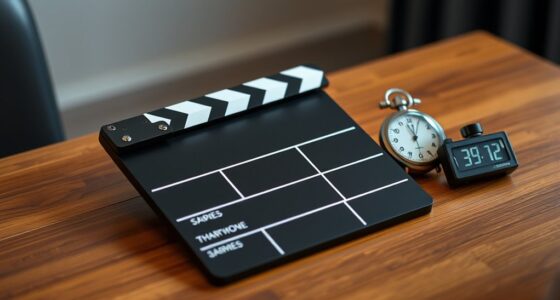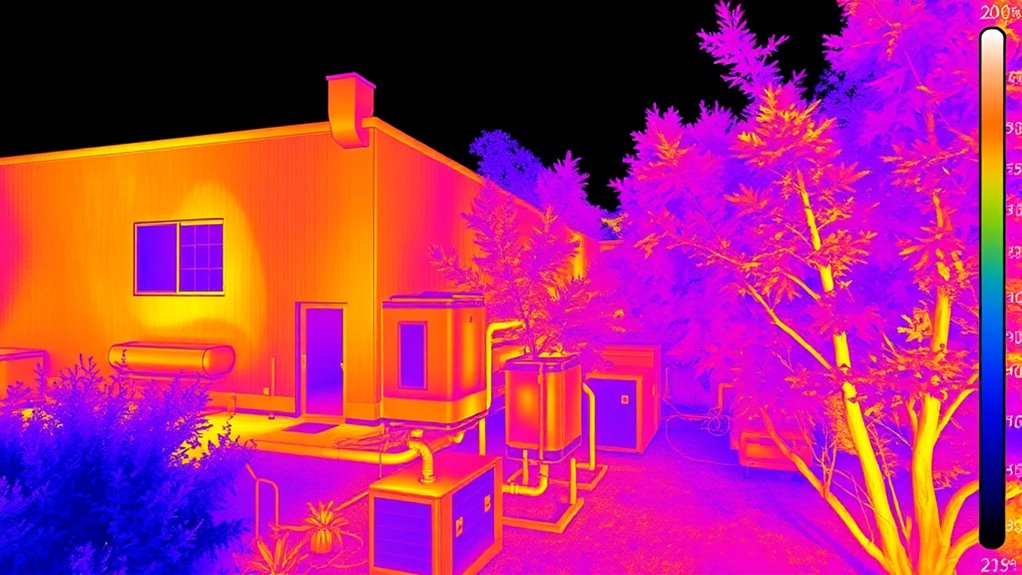

To achieve accurate thermal imaging, start with proper calibration using a blackbody source and check certification dates regularly. Adjust emissivity settings based on surface material, ensuring continuous correction during inspections. Be mindful of environmental conditions like sunlight, wind, and surface stabilization, and keep your camera lens clean. Use features like span and level wisely, always incorporate reference objects, and maintain detailed records. Keep these steps in mind, and you’ll maximize measurement precision every time. Continue exploring for more expert tips.

Get books and cozy reading nights delivered free with Prime
- Fast, free delivery on millions of items
- Prime Video, Amazon Music and more included
- Member-only deals all year
Key Takeaways
- Calibrate the thermal camera regularly using a blackbody source and verify calibration certificates.
- Adjust emissivity settings based on material type and maintain this during the inspection.
- Ensure environmental stability by avoiding direct sunlight, wind, and allowing surfaces to reach thermal equilibrium.
- Optimize camera settings such as span, level, and contrast, and keep lenses clean for clear thermal images.
- Document all calibration dates, environmental conditions, and emissivity adjustments for consistent, accurate measurements.
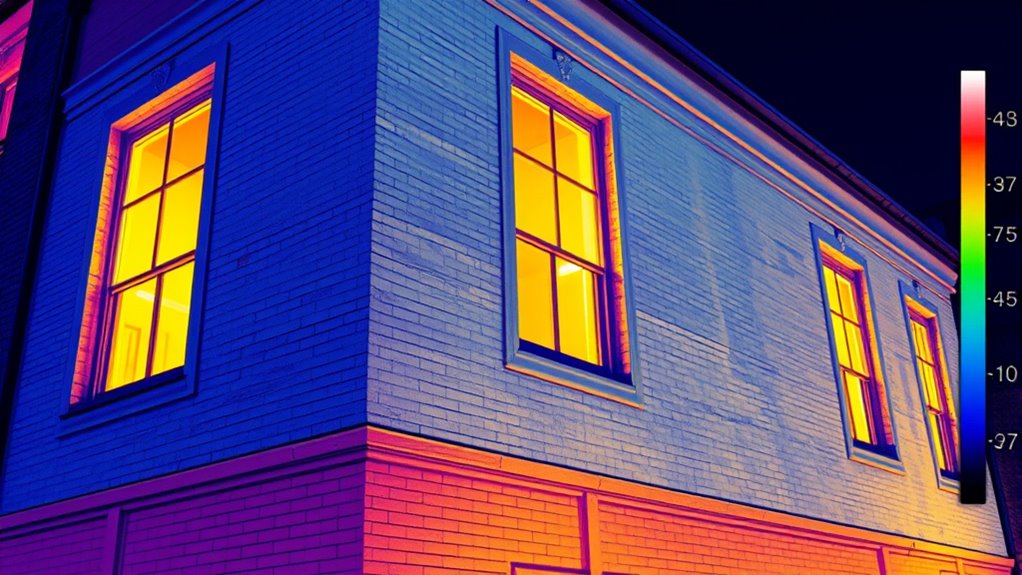
Thermal imaging is a powerful tool for detecting temperature variations, but to get accurate and reliable results, you need to follow best practices. One of the most critical steps is proper thermal camera calibration. Regular calibration ensures your device measures temperatures accurately by aligning the camera’s sensors with known standards. Before starting any inspection, check if your thermal camera requires calibration and whether it has a recent calibration certificate. If it’s been a while, perform a calibration using a blackbody source, which provides a stable reference point. This process helps eliminate measurement errors caused by sensor drift or environmental factors, ensuring your readings are trustworthy.
Regular calibration of your thermal camera ensures accurate temperature measurements and trustworthy results.
Another essential aspect is emissivity adjustment. Every material emits infrared radiation differently, so setting the correct emissivity value on your camera is crucial for precise temperature readings. For example, shiny metals have low emissivity, while matte surfaces typically have high emissivity. Before capturing images, identify the surface material and adjust your camera’s emissivity setting accordingly. Failing to modify this setting can lead to significant inaccuracies, making your thermal images unreliable. Always remember that emissivity adjustment isn’t a one-time setup; it’s a continuous process throughout your inspection, especially if you change surfaces or inspect different materials.
To maximize accuracy, keep environmental conditions in mind. Avoid taking thermal images under direct sunlight or in windy conditions, as these can affect the surface temperature and lead to misleading results. Allow surfaces to stabilize before measuring, particularly if they’ve been recently heated or cooled. Use a consistent distance from the object to ensure uniformity in your readings. Keep your lens clean and free of dust or smudges, which can distort thermal signals. When capturing images, always include a reference object with a known temperature to help validate your readings later. Being aware of sensor drift and environmental influences is essential for maintaining measurement precision over time.
Furthermore, familiarize yourself with your thermal camera’s settings and features. Many devices offer options for adjusting span and level, which help enhance contrast and detail in images. Utilize these features to improve visualization of temperature differences, but do so carefully to avoid misinterpretation. Regularly review your images and data against known standards or reference points to confirm accuracy. Proper documentation of calibration dates, emissivity settings, and environmental conditions will also help you maintain consistency over time.
thermal camera calibration blackbody source
As an affiliate, we earn on qualifying purchases.
As an affiliate, we earn on qualifying purchases.
Frequently Asked Questions
What Are Common Mistakes to Avoid During Thermal Imaging?
To avoid common mistakes during thermal imaging, don’t ignore camera ergonomics, which can lead to fatigue and poor image quality. Avoid thermal imaging myths that suggest quick results without proper calibration or understanding of heat signatures. Always make certain your equipment is correctly calibrated and positioned, and don’t rush the process. Failing to follow these tips can result in inaccurate readings and misinterpretations, compromising your inspection’s effectiveness.
How Do Environmental Conditions Affect Thermal Imaging Accuracy?
Environmental conditions, like ambient interference and weather impacts, profoundly affect thermal imaging accuracy. You should be aware that ambient interference from nearby heat sources can cause false readings, while weather factors such as rain, fog, or strong winds can distort thermal signals. To maintain precision, always evaluate environmental conditions beforehand, use appropriate calibration, and avoid imaging in extreme weather to ensure reliable thermal data.
What Maintenance Is Required for Thermal Imaging Equipment?
Imagine a thermal camera used for building inspections that suddenly malfunctions. Regular thermal camera maintenance, like cleaning the lens and checking calibration, is essential for accurate readings. You should also inspect cables, batteries, and connectors regularly to guarantee peak equipment upkeep. Routine checks prevent costly repairs and extend your device’s lifespan. By staying proactive, you ensure your thermal imaging equipment remains reliable and delivers precise thermal readings every time.
How Often Should Calibration of Thermal Cameras Be Performed?
You should perform calibration of thermal cameras regularly, ideally following a set maintenance schedule. Calibration frequency depends on the manufacturer’s recommendations and how often you use the equipment, but typically, it’s best to verify at least once a year or after any impact or repair. By sticking to a consistent calibration routine, you ensure your thermal imaging remains accurate and reliable for all your inspections.
Are There Specific Training Certifications Recommended for Thermal Imaging?
You should pursue thermal imaging certification and specialized thermal imaging training to guarantee proficiency. These certifications, like the Level I or Level II certifications from recognized organizations, validate your skills in operating thermal cameras and interpreting images accurately. Enrolling in extensive thermal imaging training helps you stay updated on best practices and safety standards. This formal education boosts your confidence and credibility, making you more effective in your thermal imaging tasks.
Conclusion
By following these thermal imaging best practices, you’ll open a new level of insight and precision. Remember, even the most seasoned professionals refine their skills over time. With patience and attention to detail, you’ll discover subtle details that might otherwise go unnoticed. Embrace the process and trust your growing expertise—you’re on the path to mastering this powerful tool. Keep exploring, stay curious, and let your thermal imaging journey lead you to unexpected discoveries.
Halloween Picks
halloween
As an affiliate, we earn on qualifying purchases.