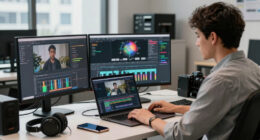
During long EVP review sessions, good ergonomics help you stay comfortable, focused, and injury-free. Poor posture from slouching or craning can cause discomfort, fatigue, and long-term musculoskeletal issues. Using adjustable chairs, monitor stands, and taking regular breaks can make a big difference. Proper setup supports your health and keeps you alert. If you want to improve your review experience and avoid common pitfalls, there’s more to discover about simple ergonomic tips you can use.
Key Takeaways
- Proper ergonomics prevent discomfort, fatigue, and pain during extended EVP review sessions, maintaining focus and efficiency.
- Good posture reduces the risk of long-term musculoskeletal injuries from prolonged sitting and repetitive movements.
- Ergonomic setups support spinal alignment and reduce strain on neck, shoulders, and wrists.
- Using ergonomic accessories enhances comfort, enabling sustained concentration and better analysis quality.
- Regular posture adjustments and breaks help maintain physical health and prevent burnout during lengthy review periods.
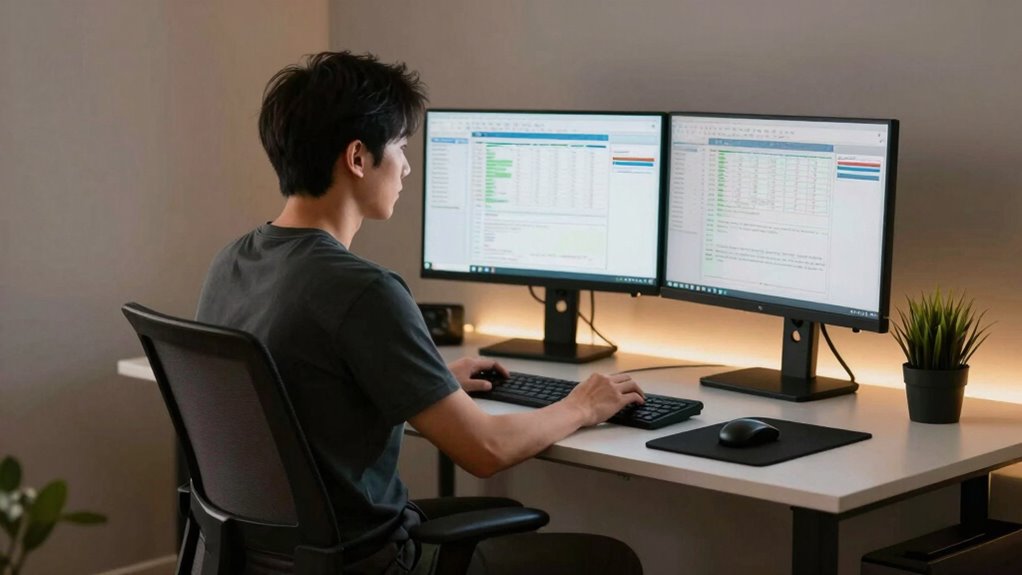
Long EVP review sessions can strain your body if you don’t prioritize ergonomics. Spending hours analyzing audio and video content without proper support can lead to discomfort, fatigue, and even long-term injuries. That’s why paying attention to your posture adjustments and using ergonomic accessories is vital to maintain comfort and productivity. When you’re engrossed in reviewing electronic voice phenomena, you might forget to sit properly or ignore the signs your body gives you. Poor posture, such as slouching or craning your neck forward, puts unnecessary stress on your spine, shoulders, and wrists. Over time, this can cause pain, stiffness, and decreased focus. To prevent this, you should make conscious posture adjustments, ensuring your back remains straight, shoulders relaxed, and feet flat on the floor. Small changes like aligning your monitor at eye level and keeping your keyboard at a comfortable height can greatly reduce strain. Ergonomic accessories, such as adjustable chairs, footrests, and monitor stands, help create an environment that supports proper body mechanics. These tools make it easier to maintain a neutral position, reducing the risk of repetitive strain injuries. When your chair provides lumbar support, you’re less likely to slouch, which preserves spinal health. An adjustable desk or workstation allows you to switch between sitting and standing, minimizing prolonged static postures. Using a wrist rest can also lessen pressure on your wrists during extended typing or mouse use. Remember, comfort isn’t just about feeling good — it’s about optimizing your health and focus. If your equipment isn’t ergonomic, you may find yourself constantly shifting or experiencing discomfort that distracts you from reviewing EVP content thoroughly. Incorporating ergonomic considerations into your setup can significantly enhance overall comfort and reduce fatigue. Additionally, the importance of proper workspace setup cannot be overstated in promoting long-term well-being. Considering the impact of ergonomic design on your health can motivate you to invest in the right accessories and adjustments. Investing in ergonomic accessories can also help prevent musculoskeletal issues, which are common among individuals who spend extended periods at their desks. Taking regular breaks is equally important. Stand, stretch, and move around to promote circulation and reduce muscle tension. Incorporating ergonomic accessories into your review setup doesn’t mean you have to spend a fortune; many affordable options exist that can make a big difference. Ultimately, your body’s well-being directly impacts your effectiveness during long review sessions. When you prioritize ergonomics, you protect yourself from avoidable pain and fatigue, allowing you to stay alert and efficient. Making small posture adjustments throughout the day and investing in ergonomic accessories are simple yet powerful steps to enhance your comfort and performance. Remember, the longer your sessions, the more essential it becomes to support your body properly — because a healthy body leads to clearer focus and better results in your EVP review work.

HOLLUDLE Ergonomic Mesh Office Chair – 3D Adjustable Lumbar Support & 3D Armrests, V-Shaped Back, Adjustable Desk Chair for Office & Home, Black
[Advanced 3D Lumbar Support] Customize your comfort with Holludle's unique 3D lumbar support. Adjust it up, down, forward,…
As an affiliate, we earn on qualifying purchases.
As an affiliate, we earn on qualifying purchases.
Frequently Asked Questions
How Can I Optimize My Workspace for Maximum Comfort?
You can optimize your workspace for maximum comfort by organizing your workspace efficiently, keeping essential tools within easy reach to reduce strain. Use ergonomic lighting to minimize eye fatigue and create a well-lit environment. Adjust your chair and monitor height to promote good posture, and take regular breaks to stretch. Proper workspace organization and ergonomic lighting help you stay comfortable and focused during long EVP review sessions.
What Are Quick Stretches to Reduce Fatigue During Reviews?
To reduce fatigue during reviews, do quick stretches like neck rolls, shoulder shrugs, and wrist stretches. These help improve your desk posture and relieve tension. Also, take short breaks to look away from your screen, easing eye strain. Regularly adjusting your sitting position and stretching keeps your muscles relaxed and your eyes comfortable, making long review sessions more manageable and less tiring.
How Do I Identify Signs of Ergonomic Strain?
You can identify signs of ergonomic strain by paying attention to your posture correction needs and eye strain. If you notice your shoulders rounding, neck discomfort, or frequent headaches, these indicate poor posture. Eye strain might cause dryness, blurred vision, or headaches. Regularly check your sitting position, confirm your screen is at eye level, and take breaks. Recognizing these signs helps you adjust quickly and prevent long-term discomfort.
Which Ergonomic Accessories Are Most Effective for Long Sessions?
Research shows that poor ergonomics can reduce productivity by up to 25%. To stay comfortable during long EVP review sessions, invest in an ergonomic chair that supports your lower back and promotes good posture. Pair it with an adjustable desk to switch between sitting and standing. These accessories help reduce strain, prevent discomfort, and keep you focused, making your long sessions more effective and less tiring.
How Often Should I Take Breaks During Extended Review Periods?
You should take a break every 30 to 60 minutes during extended review periods. During these breaks, focus on posture correction to prevent aches and eye strain. Stand up, stretch, and adjust your seating to maintain good alignment. Taking regular breaks helps reduce eye strain from screens and keeps your posture healthy, ensuring you stay alert and comfortable throughout long sessions. This habit boosts productivity and minimizes discomfort.

BONTEC Dual Monitor Stand Riser, Adjustable Length & Swivel Angle, Ergonomic Wooden Desktop Organizer with Smartphone Holder, Computer Monitor Stand for PC Monitor, Laptop, Printer, Large Storage
DUAL MONITOR STAND WITH ADJUSTABLE LENGTH & ANGLE – Elevate two monitors to an ergonomic height for better…
As an affiliate, we earn on qualifying purchases.
As an affiliate, we earn on qualifying purchases.
Conclusion
So, next time you find yourself stuck in a marathon EVP review session, remember—your comfort and posture might just be the real MVPs. Ironically, the very effort to review every detail could backfire if you neglect ergonomics, leading to fatigue and mistakes. Don’t let poor setup turn your thorough exploration into a painful ordeal. Prioritize your workspace, stay comfortable, and maybe, just maybe, you’ll actually enjoy those long review sessions instead of dreading them.

Gimars Upgrade Enlarge Silky and Superfine Fabric Gel Memory Foam Keyboard Wrist Rest Set, Ergonomic Keyboard Mouse Wrist Support for Typing Pain Relief, Comfort for Office, Gaming, Computer, Black
【1.2"ULTRA THICK MEMORY FOAM】 Upgraded memory foam is softer, more comfortable, and supportive, with a slow rebound. The…
As an affiliate, we earn on qualifying purchases.
As an affiliate, we earn on qualifying purchases.

CasaZenith Foot Rest, Six Heights Adjustable Foot Rest for Under Desk at Work, Ergonomic Foots Stool for Under Office Desks, Under Desk Footrest with Foot Massage Roller, Chair Footrest for Leg Rests
Desk Foot Rest with 6 Six Height Adjustment: Our foot stool can be adjusted according to your height,…
As an affiliate, we earn on qualifying purchases.
As an affiliate, we earn on qualifying purchases.